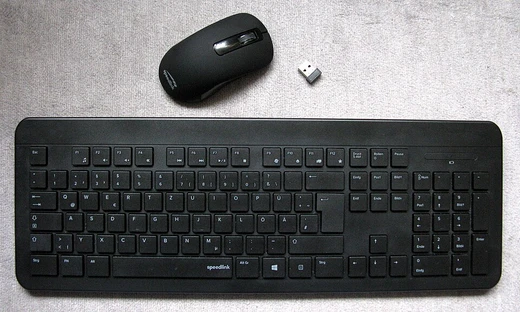
KVM Splitter
A device enabling multiple users to control one computer consecutively.

A KVM (Keyboard, Video, Mouse) Splitter, sometimes called a Reverse KVM switch, is a hardware device that lets one computer be operated from multiple sets of keyboards, monitors, and mice. Unlike a KVM switch—which typically lets a single keyboard, monitor, and mouse control several computers—a KVM splitter lets users take turns controlling the same computer, one at a time.
There are two main designs for KVM splitters. In an emulation-based design, the splitter sends emulated signals from whichever keyboard and mouse are currently active to the computer. PS/2 splitters must use this approach because PS/2 computers have only two dedicated PS/2 ports (one for a keyboard, one for a mouse). USB computers, on the other hand, have multiple USB ports that aren’t device-specific, so USB KVM splitters can also be emulation-based but are more often hub-based. In a hub-based design, the splitter works like having multiple keyboards and mice plugged into the same computer at once—it continuously feeds the active controls without needing to emulate signals.
Common video signals for KVM splitters include HDMI, DVI, and VGA, while keyboard and mouse signals use PS/2 or USB. Some splitters also include extra USB ports for sharing peripherals like external hard drives or printers among all users.
Since one computer sends video to multiple monitors, splitters handle DDC and EDID data in a few ways. With pass-through, the splitter sends the EDID from the primary monitor directly to the computer—fine if all monitors are identical, but problematic if they differ. With built-in EDID, the splitter uses a generic EDID stored in an EEPROM, which can cause compatibility issues because there’s no communication between monitors and the computer. With EDID learning, the splitter reads EDID from all connected monitors and creates a new table of common resolutions, offering the best compatibility when monitors are different.
Multiple users can control a single computer from separate workstations using a KVM splitter, but only one user is active at a time. Activation modes include user-specific (only one selected user is active; others can watch), instantaneous (a new user can take over immediately after the last keystroke or mouse movement), and delay mode (a set pause, like five seconds, before another user can take control).
- Types
- Emulation based and hub based
- Common video signals
- HDMI, DVI, VGA
- Common keyboard/mouse signals
- PS/2 or USB
- Activation modes
- User specific, instantaneous mode, delay mode
Lore & Background
KVM splitters come in two main functional designs: emulation based and hub based. In an emulation based design, the splitter feeds emulated controls from the active keyboard and mouse to the connected computer. A PS/2 KVM splitter must be emulation based because PS/2 computers only have two PS/2 connectors—one designated for a keyboard and one for a mouse. USB KVM splitters can also be emulation based, but they tend to be built using a hub-based design. When a KVM splitter is hub based, it functions similarly to having multiple keyboards and mice connected to a single computer, continuously feeding active controls without needing emulation.
Common input and output video signals for KVM splitters include HDMI, DVI, and VGA. Keyboard and mouse signals are PS/2 or USB. Some splitters also offer additional USB input ports for peripheral devices such as external hard disk drives and printers, which can be shared across all users. As one computer feeds video for multiple monitors, KVM splitters handle potentially different DDC and EDID transmissions in several ways: pass-through (transfers EDID directly from the primary display), built-in (uses a generic EDID from an EEPROM), or EDID learning (reads EDID from all monitors and creates a common resolution table).
KVM splitters can be combined with KVM switches and KVM extenders to set up more complex configurations. For example, multiple users can access the same computer without needing physical proximity. A common industrial application is allowing access to a computer located in a cleanroom from outside, to restrict contamination levels.
Reader's Guide
The KVM splitter is significant because it enables multiple users to control a single computer from separate workstations, each with their own keyboard, monitor, and mouse. This is distinct from a KVM switch, which allows one set of peripherals to control multiple computers. The splitter's ability to handle different activation modes—user specific, instantaneous, and delay—provides flexibility in managing concurrent access, ensuring that only one user is active at a time while others can view the display. The device's handling of EDID data is critical for video compatibility across different monitors, with pass-through, built-in, and EDID learning approaches offering varying levels of compatibility. In industrial settings, KVM splitters reduce the need for personnel to enter cleanrooms, thereby minimizing pollutants. By combining splitters with KVM switches and extenders, complex multi-user setups can be created without requiring physical proximity to the computer. The splitter's support for additional USB peripherals further extends its utility, allowing shared access to devices like printers and external drives.
Did You Know?
- A KVM splitter is also known as a Reverse KVM switch.
- PS/2 KVM splitters must be emulation based because PS/2 computers have only two PS/2 connectors.
- KVM splitters can handle EDID data via pass-through, built-in generic EDID, or EDID learning.
More in Computer Peripherals 1-24
Spotted an error? Know more?
Reader corrections go straight into our review queue. Suggest an edit · How this site is sourced