
Docking station
A device that simplifies connecting peripherals to a mobile computer.

D-Kuru · CC BY-SA 4.0
A docking station—sometimes called a port replicator or simply a dock—offers a single connection point for plugging in a mobile device, such as hooking a laptop up to common peripherals or charging a smartphone. Since dockable devices range from mobile phones to wireless mice and use different connectors, power signals, and functions, docks are not standardized and are usually built for a specific device model.
For some laptops, a dock can turn the machine into a desktop replacement while keeping its portability. Portable computers can be docked or undocked while completely shut down (cold), while running (hot), or while in sleep mode (standby), depending on the system’s capabilities.
Docking stations generally fall into five basic types.
An expansion dock adds hardware capabilities to the docked device, like an external storage drive, a graphics processing unit (GPU), or a liquid cooling radiator.
A port replicator, also called a passthrough, works like a bundle of extension cables that plug in and unplug together. Some include adapters to change pinouts, such as from Micro-DVI to standard DVI. These are often bus-powered and small, duplicating existing ports on the device for easier access to SD cards, peripherals, audio jacks, and external displays.
A breakout dock, or multi-port adapter, goes beyond a port replicator by offering additional ports not present on the computer. It typically uses a special, often proprietary, connector that consolidates signals from multiple internal buses into one plug. This lets the dock provide more ports than the computer itself has, while the basic unit can keep fewer physical ports. Many laptop makers that use such breakout ports also sell simpler adapters that access just one or two of the consolidated buses at a time.
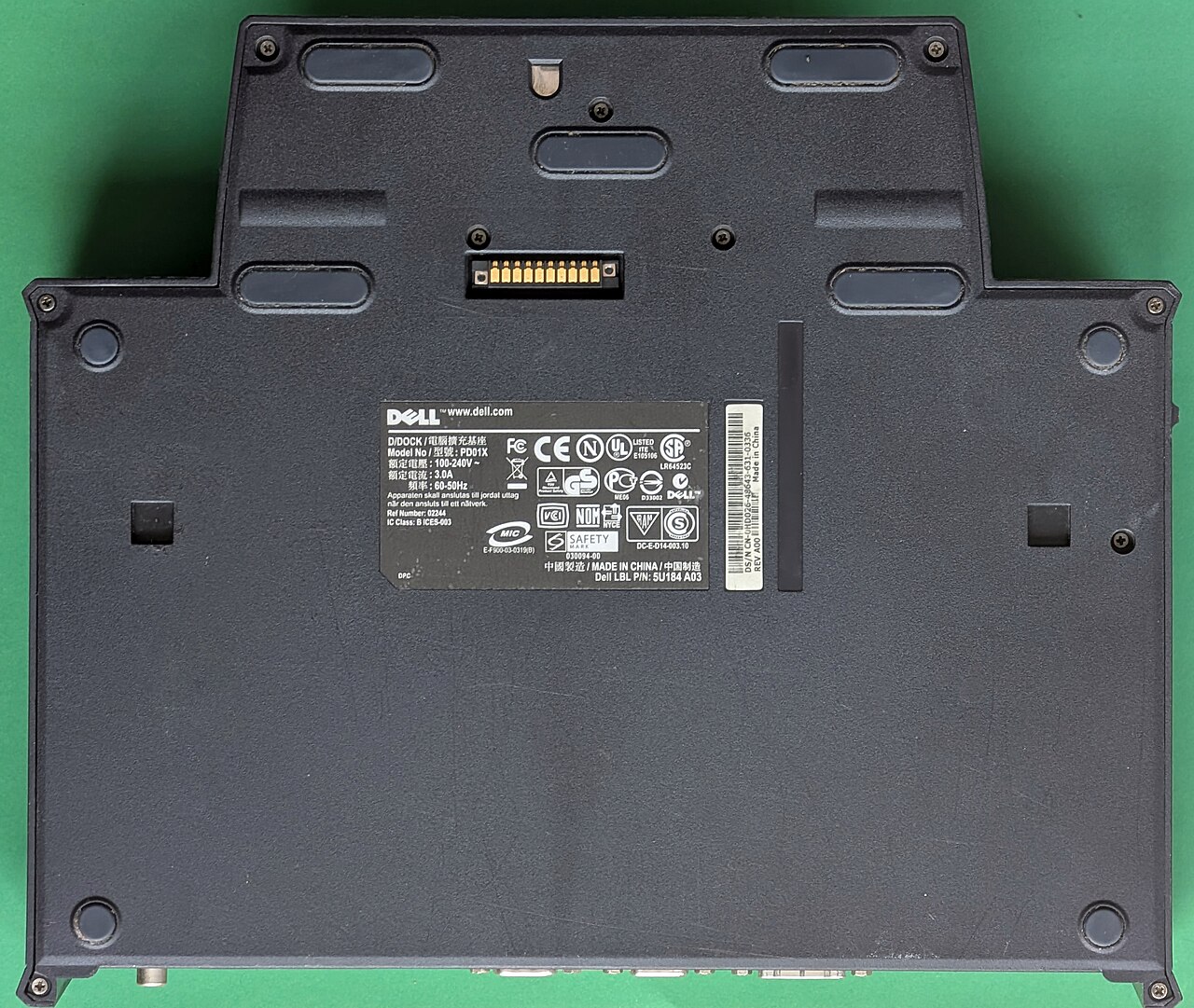
An OEM or proprietary dock is similar to a breakout device but creates extra connections inside the dock using converters, rather than pulling them from the computer’s internal chipsets. It functions like a hub with various converters plugged in, often uses a proprietary connection, and is meant for specific notebook models, requiring an upgrade when the notebook is replaced. These self-powered docks typically include a wired internet connection, dual displays, and a range of USB and audio ports.
A universal or third-party dock works much like an OEM dock but comes in many combinations.
- Types
- Five basic varieties: expansion dock, port replicator/hub, breakout dock/multi-port adapter, OEM/proprietary dock, universal or third-party dock
- Docking modes
- Hot, cold, or standby, depending on system abilities
- Common interfaces
- USB-C, Thunderbolt 3
Lore & Background
Docking stations are broadly split into five basic varieties. An expansion dock provides hardware expansion such as an external storage drive, GPU, or liquid cooling radiator. A port replicator, or hub, is functionally identical to a bundle of extension cables, duplicating ports like SD cards, audio jacks, and external displays; some include electrical adaptors to change pinouts. A breakout dock or multi-port adapter extends the port replicator concept by offering additional ports beyond those physically present on the computer, often using a proprietary connector that consolidates signals from many onboard buses. OEM or proprietary docks are similar to breakout devices but create multiple connections from one port using converters inside the dock; they are self-powered, intended for specific notebook models, and often contain wired internet, dual displays, and USB and audio connections. Universal or third-party docks are vendor-neutral, typically USB-C or Thunderbolt 3 based, and incorporate converters such as USB display adapters, external GPUs, audio chipsets, NICs, storage enclosures, modems, memory card readers, or PCI Express card slots.
Reader's Guide
Docking stations have become significant for enabling mobile devices to function as desktop replacements without losing portability. The variety of types—from simple port replicators to complex breakout docks and universal docks—reflects the lack of standardization across devices, as each dock is often designed for a specific connector, power signaling, or device type. Proprietary OEM docks tie users to particular notebook models, while universal docks offer flexibility for mixed-device workplaces. Notebook/laptop stands and risers, sometimes called docking stations, primarily provide physical support and ergonomic height, though some include advanced interfaces for video, USB, and Ethernet. Notebook/laptop shells, or lapdocks, allow a smartphone to be inserted as a replacement for missing CPU, GPU, RAM, or storage. Vehicle docks provide stable platforms for computers in vehicles, with some designed to MIL-STD 810E specifications for vibration and impact; they often include security locks and are used in industries such as enforcement, telecommunications, emergency services, and transportation. The legacy of the docking station lies in its role as a bridge between mobile and stationary computing, adapting to diverse needs through unstandardized but purpose-built designs.
Did You Know?
- Docking stations can be used hot (computer running), cold (computer shut down), or standby (computer in sleep mode).
- A breakout dock can offer more ports than are physically present on the computer by consolidating signals from many onboard buses into one connector.
- Universal docks are often USB-C or Thunderbolt 3 based and can include an external GPU (eGPU).
- Some vehicle docks are built to MIL-STD 810E specifications for vibration and impact resistance.
Purpose and the Three Docking Modes
A docking station—also called a port replicator or hub—solves a fundamental inconvenience in mobile computing: the tangle of cables and incompatible connectors that comes with plugging a laptop or phone into peripherals. Because the range of dockable devices spans from smartphones to wireless mice, each with its own connectors, power signaling, and intended uses, docks remain unstandardized and are typically engineered for a particular class of device. One of the most compelling uses is transforming a portable computer into a desktop-class workstation while preserving its ability to be picked up and taken elsewhere. The way a machine transitions between docked and undocked states varies by system. A cold dock requires the user to fully power down before connecting or disconnecting. A hot dock lets the computer stay fully operational throughout the process. Between these extremes sits standby docking, where the system must be placed into sleep mode before the physical connection is made or removed, offering a middle ground that some hardware designs favor.
The Five Docking Archetypes
Docking stations fall into five broad categories, each addressing a different need. An expansion dock adds hardware capability—external storage, a discrete GPU, or even a liquid-cooling radiator—to the docked device. A port replicator, sometimes called a passthrough, essentially bundles extension cables into one unit; it duplicates the ports already on the machine (SD card slots, audio jacks, display outputs) so the user can access them without hunting for individual cables, and it is often bus-powered and compact. A breakout dock goes further: it taps into a single proprietary connector that consolidates signals from multiple internal buses, letting the dock expose more ports than physically exist on the laptop. OEM or proprietary docks take a similar approach but generate the extra connections inside the dock itself using converters, and they are usually self-powered, model-specific, and intended as a permanent desk fixture. Finally, universal or third-party docks—typically built around USB-C or Thunderbolt 3—recreate multiple connections through internal converters and can incorporate everything from eGPUs and audio chipsets to PCI Express card slots, making them the flexible choice for mixed-device workplaces.
Mobile Offices and Vehicle Docks
Beyond the desk, docking stations have become critical infrastructure in a wide array of professional fields. Mobile docking stations—sometimes called vehicle mounts—give operators a stable platform for running a notebook, laptop, or tablet inside a moving vehicle, effectively turning the vehicle into a mobile field office. By 2015, organizations across enforcement, electricity, telecommunications, the military, emergency medical services, fire, construction, insurance, real estate, agriculture, oil and gas, transportation, warehousing, food distribution, surveying, and landscaping were deploying these units. Because they must endure the vibrations and shocks of travel, some manufacturers build them to MIL-STD 810E specifications for vibration and impact resistance. They are typically mated to an armature, a laptop desk, or a standard rack so the computer sits at a safe, ergonomic angle. Like all docks, they allow quick connect and disconnect, and some include a security lock to deter theft.
Stands, Shells, and the Lapdock Concept
Two less obvious categories blur the line between a docking station and a physical accessory. Notebook and laptop stands—occasionally mislabeled as docking stations—are designed primarily to support a computer physically, raising the screen to a more ergonomic height, improving airflow for cooling, or simply saving desk space. More advanced versions go beyond passive support and incorporate high-speed interfaces such as USB-C or Thunderbolt, enabling high-quality video output, fast USB data transfer, and even 10-gigabit Ethernet. At the other end of the spectrum sit notebook shells, sometimes called lapdocks (a blend of "laptop" and "dock"). These are essentially the chassis of a laptop minus the CPU, GPU, RAM, and storage. A smartphone is slotted into the empty cavity to supply those missing computing functions, effectively repurposing a phone as the brain of a larger display-and-keyboard enclosure.
Gallery

Frequently Asked Questions
What exactly is a docking station?
It is a hub device that lets a mobile computer or phone connect to multiple peripherals through a single cable, consolidating all your ports into one connection point.
What types of docking stations exist?
There are five main categories: expansion docks, port replicators or hubs, breakout docks (multi-port adapters), proprietary OEM docks, and universal third-party docks.
Can I dock my laptop while it's still running?
Yes—depending on your system's capabilities, you can dock in hot, cold, or standby mode, meaning the device can be fully powered on, completely shut down, or in sleep when you connect it.
Which connectors do modern docking stations typically use?
The most common interfaces today are USB-C and Thunderbolt 3, though docks are usually designed for a specific device model rather than being fully universal across brands.
Why would someone use a docking station instead of just plugging in individual cables?
It turns a portable laptop into a full desktop setup with monitors, keyboards, and other peripherals all at once, while still letting you unplug and carry the machine away when needed.
More in Computer Peripherals 1-24
Spotted an error? Know more?
Reader corrections go straight into our review queue. Suggest an edit · How this site is sourced