
Mouse button
An electric switch on a mouse for interacting with graphical user interfaces.

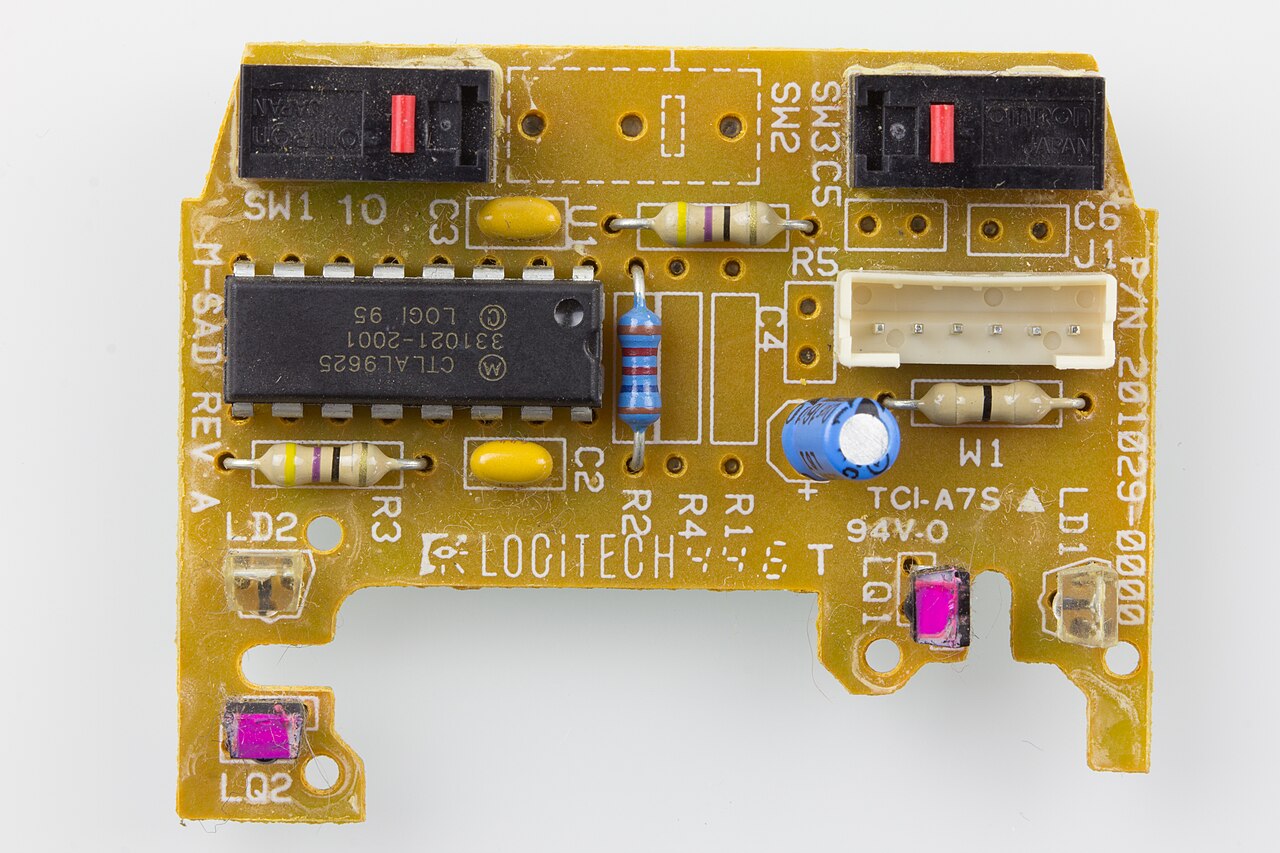
Raimond Spekking · CC BY-SA 4.0
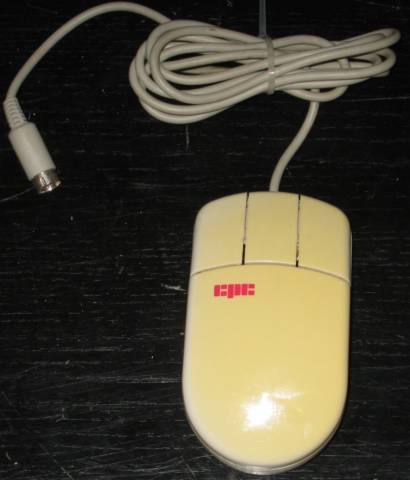
A mouse button is an electric switch on a computer mouse that can be pressed to select or interact with an element of a graphical user interface. Most commonly implemented as miniature snap-action switches (micro switches), mouse buttons have changed little over the years, varying mostly in shape, number, and placement.
- Apple multi button
- Apple went multi-button in 2005 with the Mighty Mouse
Lore & Background
Douglas Engelbart's first mouse had a single button; Xerox PARC soon designed a three-button model, but reduced the count to two for Xerox products. Apple decided on one button for their GUI environments in 1983, while most other PC environments standardized on two, and most professional workstation environments used three. Aftermarket mice have always had five or more buttons, with varying amounts of additional software included to support them. The three-button scrollmouse became the most commonly available design after the 1996 introduction of Microsoft's IntelliMouse, which made 3-button pointing devices ubiquitous on OEM hardware. Apple finally went multi-button in 2005 with their Mighty Mouse, though all Apple laptops continued to use one-button trackpads until their first buttonless trackpad in 2008. The clicking noise made by mouse buttons is due to the specific switch technology used nearly universally: a subminiature precision snap-action type. The first such types were the Honeywell MICRO SWITCH products. The scroll wheel, mounted on an internal spring-loaded frame and switch, can be rotated and clicked, making it effectively an extra button (usually called the middle-click). Some mice have scroll wheels that can be tilted sideways for sideways scrolling, and others contain a second scroll wheel for this purpose.
Reader's Guide
The mouse button is a fundamental interface element whose design has remained remarkably stable despite decades of computing evolution. The number of buttons has been a subject of controversy, with Engelbart favoring 'as many as possible' while others argued a single button is simpler for novice users. The prototype that popularized three buttons as standard had that number only because no more switches could fit. Single-button advocates point to simplicity and a lowest common denominator option, while multiple-button advocates argue that single-button support requires clumsy workarounds. Workarounds include the double click (first used on the Lisa), holding keyboard keys while clicking, and press-and-hold techniques—all found less usable than additional buttons for experienced users. The scroll wheel, introduced with Microsoft's IntelliMouse, made three-button pointing devices ubiquitous. Additional buttons have become especially useful in computer gaming, where quick access to functions like macros and DPI changes can give a player an advantage. The middle-click has specific functions in many environments: in web browsers it opens hyperlinks in new tabs and closes tabs; in Linux it pastes clipboard content at the cursor location; and in some document viewers it enables omnidirectional scrolling.
Did You Know?
- The clicking noise of a mouse button comes from a subminiature precision snap-action switch, first made by Honeywell MICRO SWITCH.
- Apple's Mighty Mouse, introduced in 2005, was the company's first multi-button mouse; Apple laptops used one-button trackpads until 2008.
- In Linux, pressing left and right mouse buttons simultaneously simulates a middle click, and middle-clicking into a text area pastes the clipboard at the mouse cursor's location.
The Xerox PARC Revelation
In 1979, Apple was in the middle of planning a business-oriented computer when the company arranged a visit to the Xerox PARC research center. What they found there would fundamentally alter the trajectory of personal computing. The team encountered the mouse, a device originally invented by Douglas Engelbart during his work at SRI International, which had been woven into the graphical user interface running on the Xerox Alto. Engelbart later recalled that SRI had patented the mouse but lacked any real sense of its commercial potential, noting it was licensed to Apple for roughly forty thousand dollars. The impact on Apple was immediate and total: the company abandoned its existing plans and restructured its entire product strategy around the mouse and the GUI concept. This single visit transformed a peripheral input device into the central organizing principle behind Apple's next generation of computers.
From Four Hundred to Twenty-Five Dollars
The Xerox Alto's three-button mouse carried a manufacturing cost exceeding four hundred dollars, a figure wholly impractical for a consumer personal computer. Apple needed a solution that would fit a mass-market price point, so the company turned to Hovey-Kelley Design, the firm that would later rebrand itself as IDEO. The brief was demanding: produce a functional pointing device at a target cost of just twenty-five dollars while still delivering a usable experience. The design team did not rely on laboratory assumptions alone. They built hundreds of prototypes and subjected them to testing with real consumers in everyday settings, observing how ordinary people naturally reached for and operated the device. After extensive iteration, they converged on a single-button design roughly the size of a standard deck of playing cards. Because the original Xerox interface depended on three buttons, Apple's operating system was reworked to pair keystrokes with the single click, effectively recreating the multi-button functionality through a combination of modifier keys and mouse actions.
The Lisa Mouse and a Foundational Aesthetic
Debuting alongside the Apple Lisa system in 1983, the Lisa Mouse stood as one of the earliest commercially produced pointing devices. Its design drew directly from the Alto mouse that had been in use at Xerox PARC during the 1970s, yet it introduced a distinctive choice: a steel tracking ball rather than the rubber-coated ball that would appear in later Apple models. The physical case was crafted by Bill Dresselhaus, who drew on Art Deco principles with formal, flowing curves that echoed the Lisa's own design language. Hovey-Kelley, which would rename itself IDEO in 1991, oversaw the broader development, conducting exhaustive focus-group testing to determine everything from the optimal button count to the precise loudness of the click. The resulting form became the foundational template for every subsequent Apple mouse, a lineage that endured uninterrupted until the Mighty Mouse of 2005 introduced a multi-button, scroll-ball interface.
The Long March of Tracking Technology
Apple's pointing devices have undergone a steady evolution in how they sense movement, mirroring broader advances in sensor technology. For years, the company relied on a mechanical ball-tracking mechanism, in which a rolling ball translated physical motion into digital coordinates. That era ended in 2000 with the Pro Mouse, which marked Apple's first shift to an optical-based tracking system, eliminating the need for the rolling ball entirely. The current flagship, the Magic Mouse 2, takes the progression further by employing laser tracking for even greater precision. Alongside these sensor changes, the interface itself has grown more complex. Until 2005, every Apple mouse offered only a single button. The Mighty Mouse broke that tradition by adding a clickable scroll ball and multiple programmable buttons, expanding the range of gestures a user could perform. Today, Apple's external pointing lineup consists of the Magic Mouse 2 and the Magic Trackpad 2, both carrying forward the company's philosophy of clean form paired with evolving function.
Gallery
Frequently Asked Questions
What is a mouse button?
A mouse button is a small electric switch built into a computer mouse that lets you click to select or interact with elements on screen. It serves as the primary way users send input commands to a graphical interface.
How do mouse buttons work mechanically?
Most mouse buttons rely on tiny snap-action micro switches hidden beneath the plastic cap. Pressing the button completes a brief electrical circuit, telling the computer to register a click event.
When did Apple adopt a multi-button mouse?
Apple moved to a multi-button design in 2005 with the Mighty Mouse. Prior to that release, their mice were essentially single-button devices.
Have mouse buttons changed much over the years?
Their core function has stayed remarkably consistent — they still work as simple press-to-activate switches. The main variations over time have been in shape, total count, and placement on the mouse body.
What role do mouse buttons play in a GUI?
They let you select items, open menus, and trigger actions within a graphical user interface. Every on-screen click you perform is ultimately initiated by pressing one of these small switches.
More in Computer Mice and Monitors 1-24
Spotted an error? Know more?
Reader corrections go straight into our review queue. Suggest an edit · How this site is sourced