
Magic Trackpad
Apple's multi-touch trackpad with force touch and haptic feedback.

Raimond Spekking · CC BY-SA 4.0
The Magic Trackpad is a multi-touch and force touch input device from Apple Inc. The first model hit the market on July 27, 2010, with a surface area 80% larger than the trackpad built into the MacBook laptops of that era. A redesigned second version, originally called the Magic Trackpad 2, arrived on October 13, 2015.
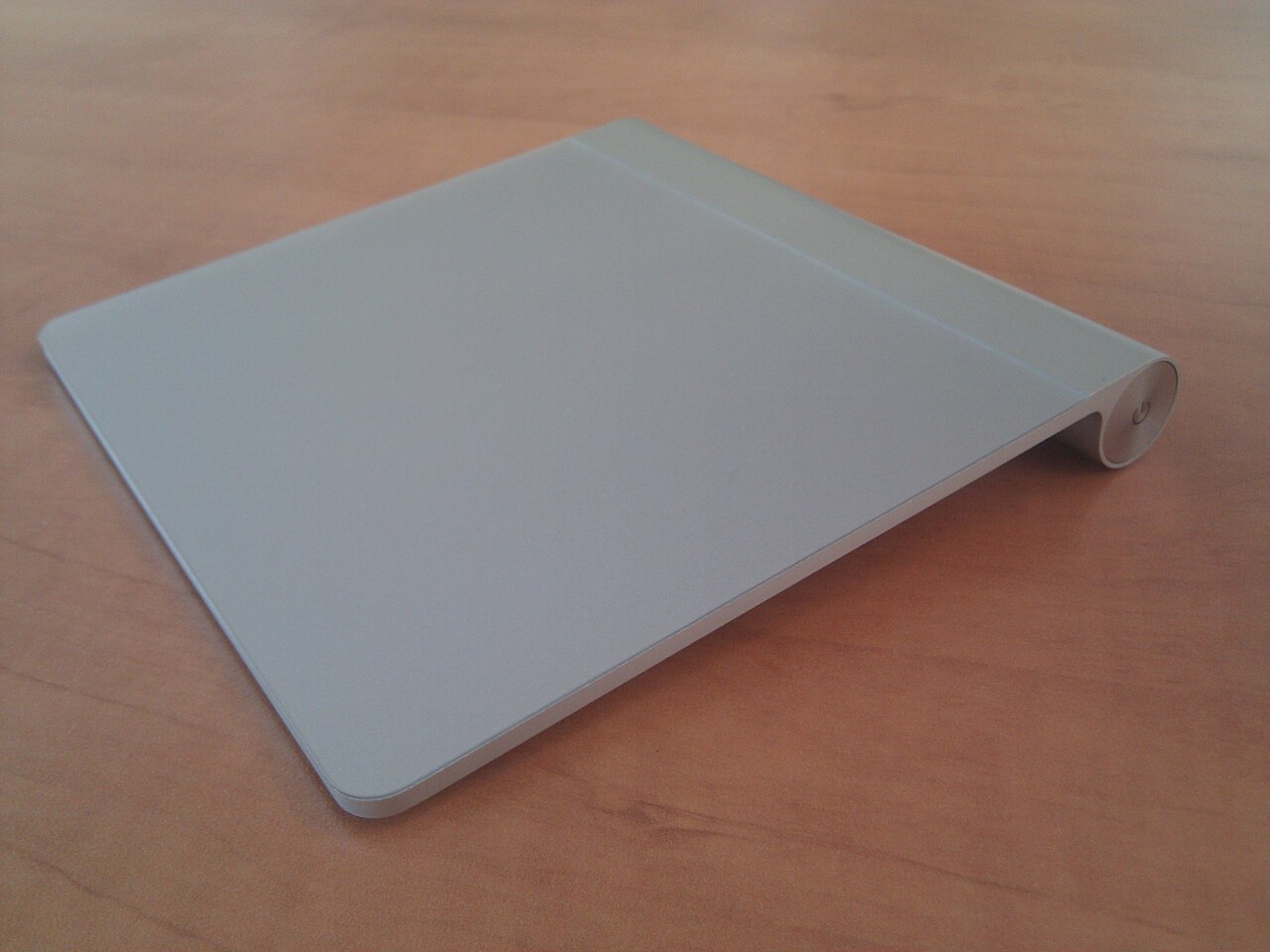
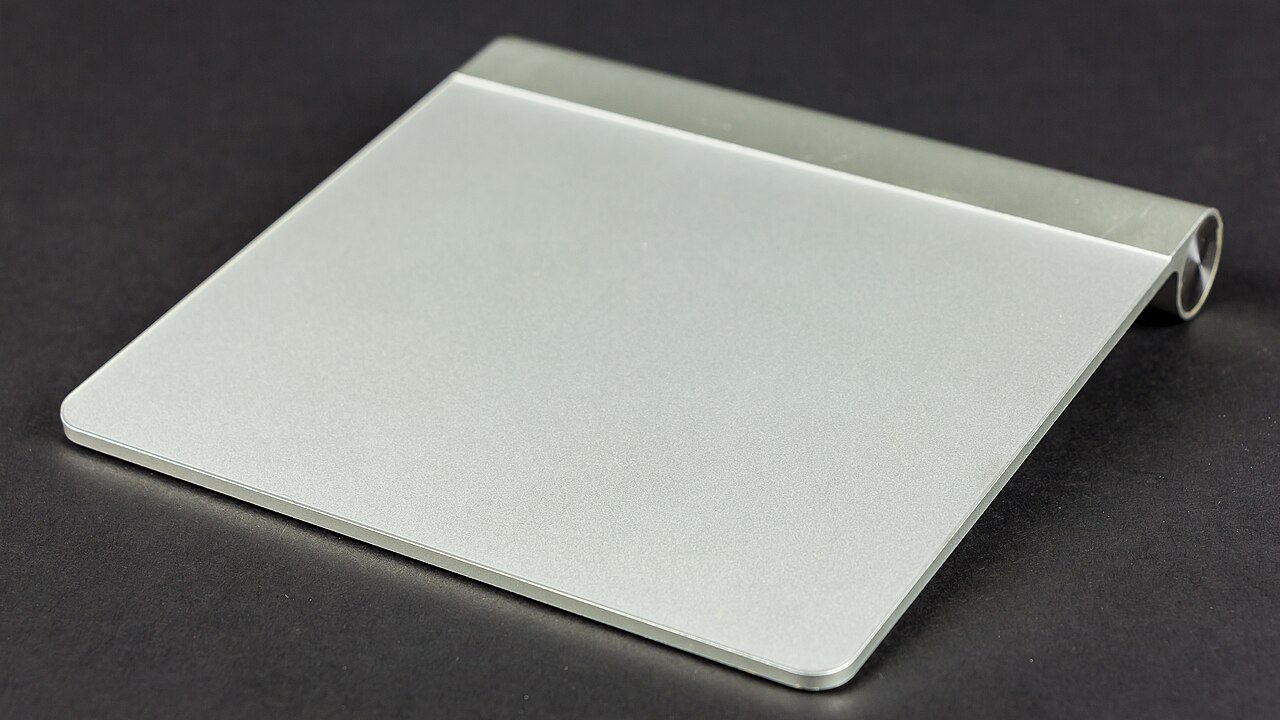
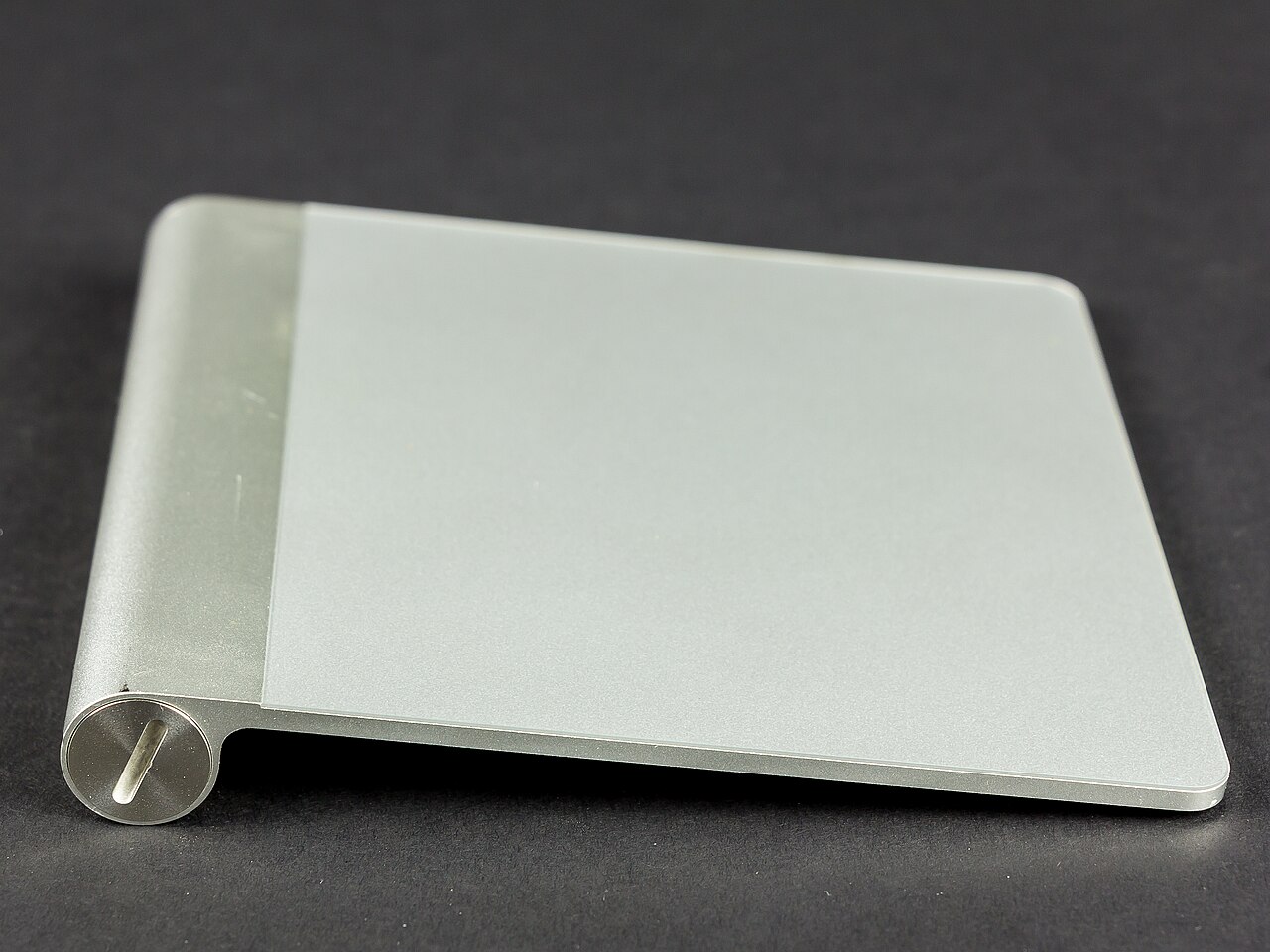
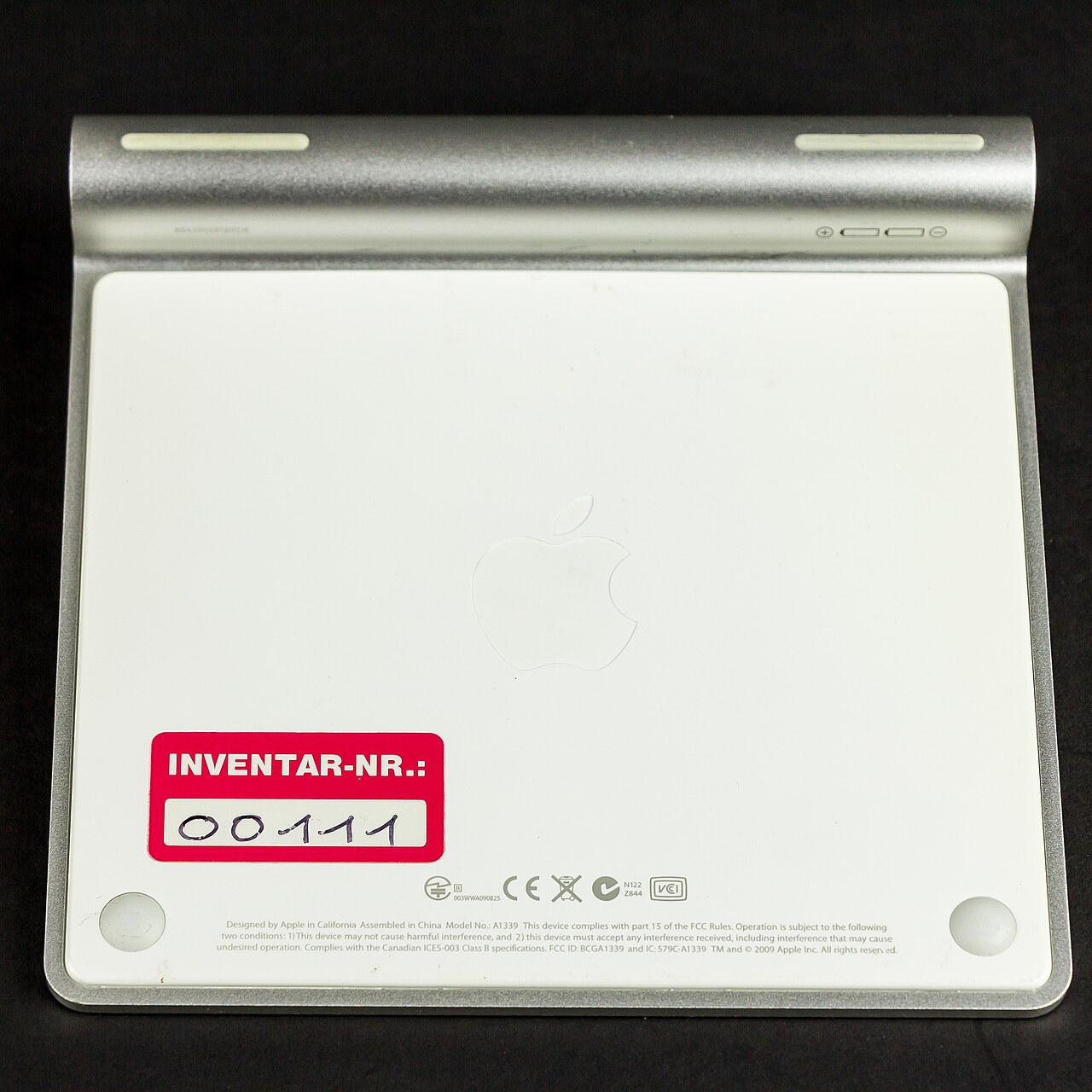
The first-generation trackpad is made of glass and aluminum, matching the style and height of Apple’s Wireless Keyboard. The entire surface works as a button, pressing down on two circular feet underneath to register a click. It connects via Bluetooth and runs on two AA batteries.
The second-generation model has 29% more surface area than the first, a wedge-shaped design, and adds Force Touch support. It uses the Taptic Engine for haptic feedback, similar to MacBook trackpads. A built-in rechargeable lithium-ion battery charges and pairs through a Lightning connector. iPadOS 13.4, released in 2020, brought full mouse support to iPads, working with all second-generation Magic Trackpad features.
This version originally came in white. A space gray variant launched with the iMac Pro in 2017, alongside a matching Magic Keyboard; both later sold separately. In 2021, seven pastel colors (red, pink, orange, yellow, green, blue, and purple) were introduced to match the M1 iMac. Standalone purchases at that time included a USB-C to Lightning cable instead of USB-A. The physical design also changed: trackpads bundled with the M1 iMac and later models have larger corner radii than earlier second-generation units. In 2022, space gray was replaced by a black-and-silver version previously exclusive to the third-generation Mac Pro. On October 28, 2024, Apple updated the Magic Trackpad, swapping the Lightning port for a USB-C port.
Reviews of the first-generation model praised its design but criticized the price. CNET’s Scott Stein called it “minimalist and not particularly cheap,” adding, “We’re not sure we’d ditch our mouse and use the Magic Trackpad, but it’s a compact solution for the touch-addicted.” Macworld highlighted its design alignment with the Apple Wireless Keyboard, noting they share the same height and angle.
For the second-generation trackpad, reviewers appreciated the Force Touch features, better ergonomics compared to the Magic Mouse, and full compatibility with macOS and iPadOS, though they pointed out its high cost.
Quick Facts
- Manufacturer
- Apple Inc.
- Release Date
- 1st gen.: 2010-07-27 / 2nd gen.: 2015-10-13 (Lightning); 2021-04-20 (redesigned with rounded corners and additional color options); 2024-10-28 (USB-C)
- Discontinued
- 1st gen.: 2015-10-13
- Power
- 1st gen.: Two AA batteries / 2nd gen.: Rechargeable Li-Po battery (2024 mAh)
- Connectivity
- 1st gen.: Bluetooth 2.0 / 2nd gen.: Bluetooth 3.0, Lightning or USB-C port
- Dimensions
- 1st gen.: 5.1 xx / 2nd gen.: 0.19 –
- Weight
- 1st gen.: 0.31 lb / 2nd gen.: 0.51 lb
- Related
- Magic Mouse
Facts from the source article.
Lore & Background
The first generation Magic Trackpad was made of glass and aluminum in the same style as Apple's Wireless Keyboard and sat flush with it. The entire trackpad could be used as a button, pressing down on two circular feet below to register a click. It connected via Bluetooth and was powered by two AA batteries. The second generation model featured an enclosed wedge design, added support for Force Touch, and provided haptic feedback via Apple's built-in Taptic Engine, also used in MacBook trackpads. It included a built-in rechargeable lithium-ion battery and used the Lightning connector for charging and pairing.
The second generation was originally released in white, followed by a space gray version introduced with the iMac Pro in 2017 alongside a color-matching Magic Keyboard; both later became available as standalone purchases. Seven pastel models (red, pink, orange, yellow, green, blue, and purple) were introduced in 2021 to match the colors of the M1 iMac. Standalone purchases at that time included a USB-C to Lightning cable instead of a USB-A cable. The physical design was also updated, with Magic Trackpads bundled with the M1 iMac and later releases featuring larger corner radii than earlier second generation models. In 2022, space gray was replaced by a black-and-silver version previously only available bundled with the third-generation Mac Pro. On October 28, 2024, Apple released an updated Magic Trackpad that replaced the Lightning charging port with a USB-C port.
Reader's Guide
The Magic Trackpad is notable as Apple's standalone multi-touch input device, bridging the gap between laptop trackpad and desktop use. The first generation was praised for its design but criticized for its price, with reviewers noting it was a compact solution for touch-addicted users and that its height and angle matched the Apple Wireless Keyboard. The second generation received praise for its Force Touch functionality, better ergonomics over the Magic Mouse, and full compatibility with macOS and iPadOS, though its high price tag was noted. A significant development came in 2020 when iPadOS 13.4 introduced mouse support to iPads for the first time, supporting all functionality of the second-generation Magic Trackpad. Over time, the device expanded in color options and connector updates, reflecting Apple's broader product transitions. Its legacy lies in providing a desktop trackpad experience with the same multi-touch and force touch capabilities found in MacBook trackpads, while also serving as a primary input for iPad users after the 2020 software update.
Did You Know?
- The first generation Magic Trackpad was 80% larger than the built-in trackpad on then-current MacBook laptops.
- The second generation Magic Trackpad has 29% more surface area than the first generation.
- The second generation uses a built-in Taptic Engine for haptic feedback, the same technology used in MacBook trackpads.
A Lineage of Pointing Devices
Apple has long treated its pointing peripherals as expressions of a broader design language, ensuring each generation of mice and trackpads reflects the aesthetic and functional priorities of its era. The company's current external pointing lineup—the Magic Mouse 2 and the Magic Trackpad 2—sits at the end of a long evolutionary chain stretching back to the earliest Macintosh systems. What began as a single-button, ball-tracked device has progressed through optical tracking, introduced with the Pro Mouse in 2000, and now laser-based sensing in the Magic Mouse 2. Along the way, the interface itself shifted: for decades Apple offered only a single clickable button, until the Mighty Mouse in 2005 added a scroll ball and programmable buttons. The Magic Trackpad 2, as part of this current pairing, represents the culmination of Apple's commitment to a unified, design-driven approach to human-computer interaction on Macintosh computers.
The Xerox PARC Spark
In 1979, Apple's plans for a business computer took an unexpected turn when the company arranged a visit to the Xerox PARC research center. There, engineers encountered a device that would reshape their entire product philosophy: the mouse, originally invented by Douglas Engelbart while working at SRI International and later integrated into the graphical interface used on the Xerox Alto. The impact was so profound that Apple abandoned its existing plans and restructured its development around the mouse and the GUI. Engelbart later noted with some irony that SRI had licensed the technology to Apple for roughly forty thousand dollars, despite having no clear sense of its commercial potential. This single encounter set in motion decades of Apple pointing-device innovation, a lineage that ultimately produced the Magic Trackpad 2 as one of the company's two current external pointing peripherals for Macintosh machines.
Prototyping Perfection
The early Apple mouse was far from a simple engineering task. The Xerox three-button prototype cost over four hundred dollars to manufacture, entirely impractical for a consumer computer. Apple turned to Hovey-Kelley Design, later renamed IDEO, to solve both the cost and usability challenges. The team had to redesign the device to hit a twenty-five-dollar price point while also testing it with real consumers outside laboratory conditions to understand how people actually wanted to interact with it. After hundreds of prototypes, the team settled on a single-button design roughly the size of a deck of cards, with the operating system adapted to use keystroke combinations to replicate the functionality of the original three-button layout. Every detail was scrutinized: button count, click volume, case curvature. Bill Dresselhaus's original case design drew on Art Deco principles with formal curving lines. This obsessive, consumer-centered methodology—refining form, function, and feel through iterative testing—establishes the philosophical DNA that continues to inform Apple's current pointing devices, including the Magic Trackpad 2.
From Steel Balls to Laser Light
The physical tracking mechanism inside Apple's pointing devices tells a story of quiet technological revolution. The Lisa mouse of 1983, one of the first commercial mice ever produced, used a distinctive steel ball rather than the rubber-coated ball that would appear in subsequent models. That ball-tracking approach persisted through the Macintosh era, the Apple IIc, and the Apple II Mouse, with only minor mechanical revisions over the years. The real shift came in 2000 with the Pro Mouse, when Apple replaced the ball entirely with an optical tracking system. The current Magic Mouse 2 has since moved further to laser-based tracking. This progression, from a physical rolling ball to invisible light-based sensing, mirrors the broader trajectory of Apple's pointing ecosystem. The Magic Trackpad 2, as the trackpad counterpart to the Magic Mouse 2, occupies the same endpoint of this evolution: a seamless, sensor-driven interface that requires no moving mechanical parts, continuing the design philosophy Apple established when it first encountered a mouse at Xerox PARC.
Gallery


Frequently Asked Questions
What is the Magic Trackpad?
It is Apple's standalone multi-touch input device that brings a laptop-style trackpad to a desktop setup. The pad supports force touch and haptic feedback, so pressing the glass surface simulates a physical button click.
When did each generation of the Magic Trackpad release?
The original model went on sale on July 27, 2010, and the redesigned second generation (initially marketed as the Magic Trackpad 2) arrived on October 13, 2015.
How big is the Magic Trackpad compared to a MacBook's built-in trackpad?
The first generation offered a usable surface roughly 80% larger than the trackpad embedded in MacBooks of that era. The second generation expanded the surface area by another 29% over the original.
How does the Magic Trackpad connect and stay powered?
The first generation pairs over Bluetooth and runs on two AA batteries. The second generation charges through a Lightning port, a connector that was replaced by USB-C as of October 28, 2024.
What makes the Magic Trackpad's click mechanism different from a regular mouse button?
Instead of a dedicated physical button, the entire glass-and-aluminum surface acts as one pressable area. Pressing down flexes the pad on two small circular feet underneath, which registers the click.
More in Computer Mice and Monitors 1-24
Spotted an error? Know more?
Reader corrections go straight into our review queue. Suggest an edit · How this site is sourced