Digital Visual Interface
Digital and analog video interface developed by the DDWG.

Dmitry Makeev · CC BY-SA 4.0
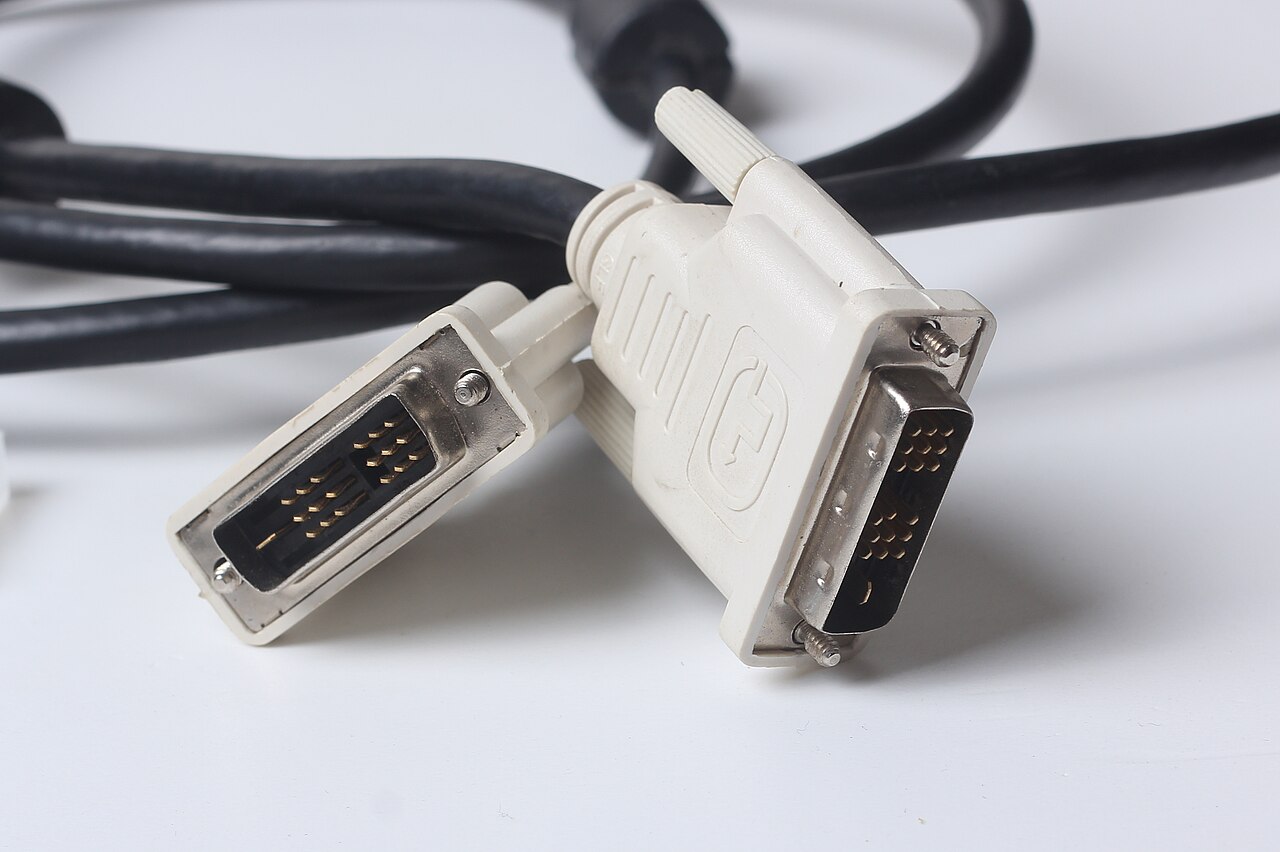
Digital Visual Interface (DVI) is a video display interface developed by the Digital Display Working Group (DDWG). It is used to connect a video source, such as a video display controller, to a display device, such as a computer monitor, and was developed with the intention of creating an industry standard for the transfer of uncompressed digital video content. DVI is notable for being the only widespread video standard that includes analog and digital transmission in the same connector, and its compatibility with VGA via analog pins led to its widespread acceptance over competing digital display standards Plug and Display (P&D) and Digital Flat Panel (DFP).
Quick Facts
- Designer
- Digital Display Working Group
- Production Date
- 1998–present
- Superseded
- VGA connector
- Superseded By
- DisplayPort, HDMI
- External
- Yes
- Data Bandwidth
- (Single link) 3.96 Gbit/s / (Dual link) 7.92 Gbit/s
- Data Devices
- 1
- Data Style
- 3 × transition minimized differential signaling data and clock
- Num Pins
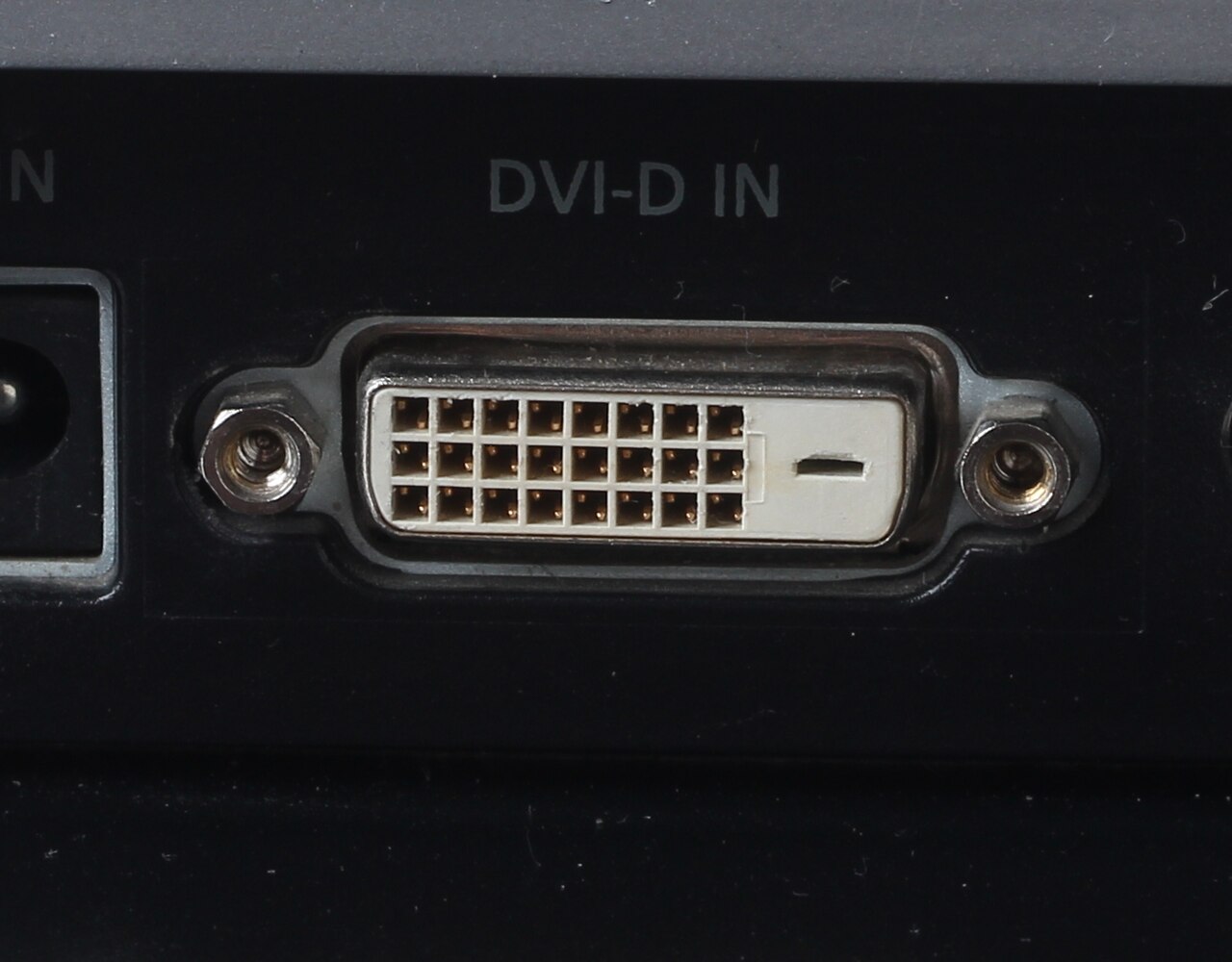
- DVI-D Single Link: 19 / DVI-D Dual Link: 25 / DVI-I Single Link: 23 / DVI-I Dual Link: 29 / DVI-A: 11 / DVI-M1-DA: 35
- Pinout Caption
- A female DVI-I socket from the front
Facts from the source article.
Lore & Background
An earlier attempt to update the analog VGA connector was made by VESA in 1994 and 1995 with the Enhanced Video Connector (EVC), which used a 35-pin Molex MicroCross connector and carried analog video, analog stereo audio, and data. With the increasing availability of digital flat-panel displays, priority shifted to digital video transmission, and VESA released the Plug & Display (P&D) standard in 1997, offering single-link TMDS digital video with optional analog video and data. Because P&D was physically large and expensive, a consortium developed the DFP standard in 1999, which focused solely on digital video using a 20-pin micro ribbon connector. DVI instead stripped just the data functions from P&D, using a 29-pin MicroCross connector to carry digital and analog video, and critically allowed dual-link TMDS signals, supporting higher resolutions than single-link P&D and DFP. Compatibility with P&D and DFP is accomplished typically through passive adapters, as all three standards use the same DDC/EDID handshaking protocols and TMDS digital video signals. DVI made its way into products starting in 1999; one of the first DVI monitors was Apple's original Cinema Display, which launched in 1999.
Reader's Guide
DVI's significance lies in its role as a bridge between analog and digital video transmission, becoming the only widespread video standard to include both in the same connector. Its compatibility with VGA via analog pins, along with its support for dual-link TMDS for higher resolutions, led to its successful adoption as an industry standard over P&D and DFP. The DVI connector comes in three types: DVI-I (integrated, digital and analog), DVI-D (digital only), and DVI-A (analog only). Single link DVI supports resolutions up to 1920 × 1200 at 60 Hz, while dual link supports up to 2560 × 1600 at 60 Hz. The maximum recommended cable length is not specified, but lengths up to 4.5 meters work for 1920 × 1200, and longer cables up to 15 meters can be used for 1280 × 1024 or lower. DVI is predominantly associated with computers but is sometimes used in other consumer electronics such as television sets and DVD players. Some DVD players, HDTV sets, and video projectors have DVI connectors that transmit encrypted signals using HDCP for copy protection.
Did You Know?
- The maximum single link TMDS clock frequency is 165 MHz, supporting a maximum resolution of 1920 × 1200 at 60 Hz.
- Dual link DVI doubles the number of TMDS data pairs, supporting resolutions up to 2560 × 1600 at 60 Hz.
From VGA's Shadow to Industry Standard
DVI emerged from a broader industry effort to modernize video connectivity. In the mid-1990s, VESA attempted to update the aging VGA connector with the Enhanced Video Connector, a 35-pin design that bundled analog video, stereo audio, and data channels into a single cable. As flat-panel displays gained traction, the focus shifted toward purely digital transmission. VESA repurposed the EVC connector for its 1997 Plug & Display standard, which carried single-link digital video alongside optional analog and data lines. A consortium then proposed the Digital Flat Panel standard in 1999, stripping everything except digital video down to a 20-pin micro ribbon connector. The Digital Display Working Group's DVI took a middle path: it retained the 29-pin MicroCross form factor from P&D, kept both digital and analog video, but dropped the data channels. The decisive advantage was dual-link TMDS support, which unlocked resolutions beyond what P&D or DFP could achieve, securing DVI's position as the industry standard.
How TMDS Carries the Picture
At its core, DVI transmits uncompressed digital video using transition minimized differential signaling, a high-speed serial format originally developed by Silicon Image under the name panelLink. Pixel data travels over twisted-pair TMDS lines that are inherently resistant to electrical noise and analog distortion. In single-link mode, four pairs are employed: three carry the red, green, and blue 8-bit color components for a total of 24 bits per pixel, while the fourth serves as the clock reference. Data is encoded with 8b/10b line coding, and frames are sent as continuous rasterized streams rather than compressed packets, with the full active area transmitted every vertical refresh. The single-link clock caps at 165 MHz, supporting up to 2.75 megapixels at 60 Hz—practically 1920×1200 in a 16:10 format. Dual-link mode simply doubles the data pairs, effectively doubling bandwidth and enabling resolutions up to 2560×1600 at 60 Hz or higher refresh rates at lower resolutions.
Connector Variants and the Compatibility Web
DVI connectors come in two primary flavors. DVI-I, or integrated, carries both digital TMDS video and analog VGA signals within the same physical plug, with dedicated pins for the analog channels. DVI-D, by contrast, is digital-only and omits those analog contacts entirely. This dual capability was a key reason DVI gained broad acceptance over rivals: users could transition gradually, connecting older analog monitors alongside newer digital panels without replacing hardware. Interoperability across the competing P&D and DFP ecosystems was maintained through passive adapters, since all three standards share the same DDC/EDID handshake protocol and TMDS signaling. Every DVI-compliant device must support a baseline 640×480 at 60 Hz mode to guarantee minimum interoperability. The connector also includes DDC pins that let a graphics adapter query a monitor's EDID block over an I²C link, retrieving identification data, gamma values, and the full table of supported timing modes.
Cables, Boosters, and First-Generation Products
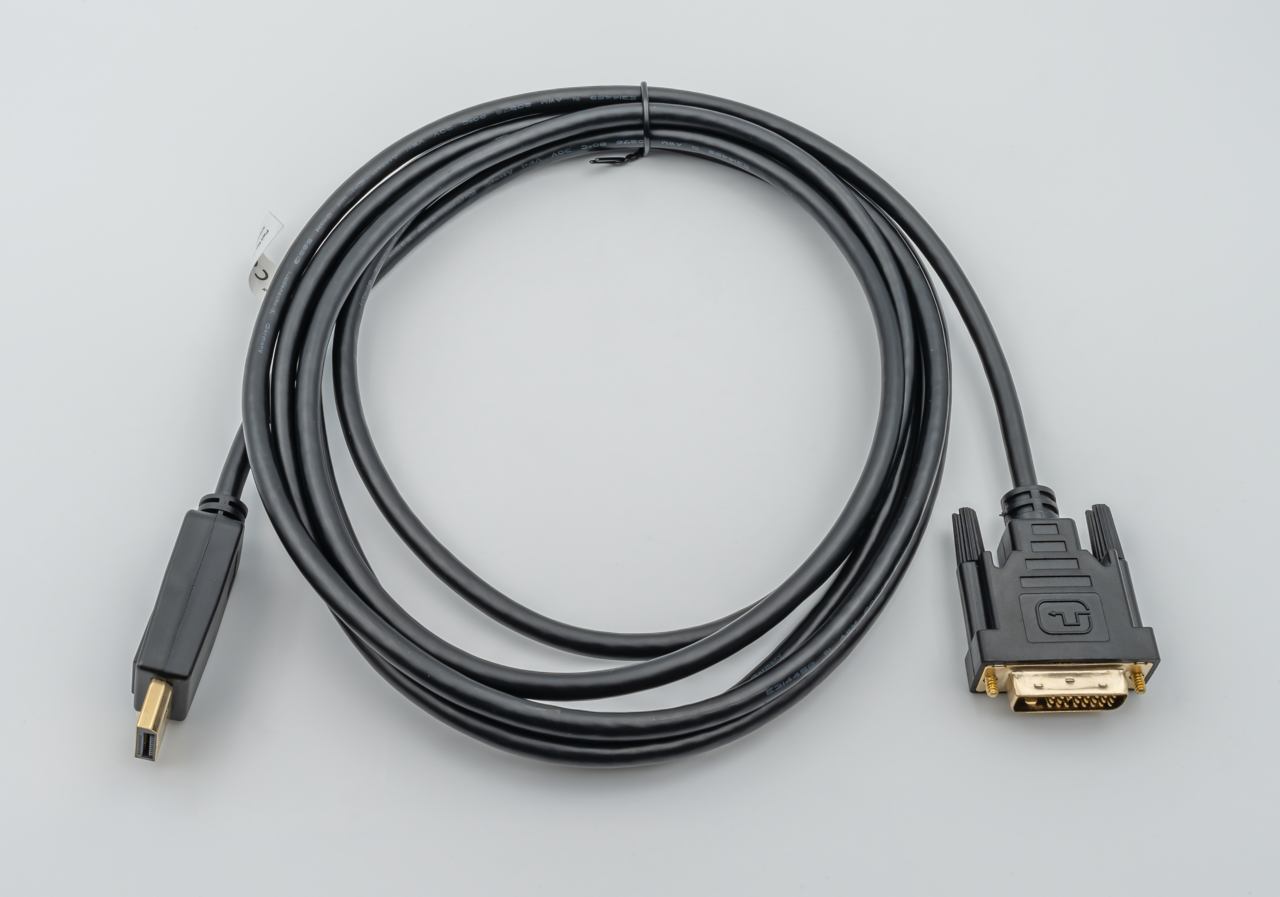
Although DVI is most commonly associated with computer graphics cards and monitors, it also appeared in consumer electronics like television sets and DVD players. Apple's original Cinema Display, launched in 1999, was among the first monitors to ship with a DVI port, marking the interface's arrival in commercial products. In practice, cable length becomes a consideration: the specification itself does not mandate a maximum, since signal integrity depends on the TMDS clock frequency. Cables up to 4.5 meters (about 15 feet) handle resolutions up to 1920×1200 without issue, while runs as long as 15 meters (roughly 49 feet) remain viable at 1280×1024 or below. Beyond those distances, signal degradation becomes a concern, and manufacturers recommend DVI boosters—external signal repeaters that may draw their own power—to regenerate the TMDS signal and preserve image quality over extended runs.
Gallery
Frequently Asked Questions
Who created Digital Visual Interface?
DVI was developed by the Digital Display Working Group (DDWG), a consortium that set out to define an industry-wide standard for moving uncompressed digital video from a source to a display.
What makes DVI unique among video connectors?
It is the only broadly adopted video standard that carries both analog and digital signals inside a single connector. That dual-mode design let one cable serve older analog monitors and newer digital panels alike.
What is the maximum resolution DVI can deliver?
A single-link DVI connection tops out at 1920 × 1200 at 60 Hz, while a dual-link connection reaches 2560 × 1600 at 60 Hz. The single-link TMDS clock is capped at 165 MHz, with a minimum of 25.175 MHz.
Why did DVI win out over competing digital display standards?
Its analog pins provided drop-in compatibility with VGA, so existing monitors worked without extra adapters. That backward compatibility gave it a huge adoption head start over purely digital rivals.
When did DVI first appear in real products?
The first DVI-equipped products reached the market in 1999. It then quickly became the default video interface for desktop PCs and monitors throughout the 2000s.
More in Display Standards 1-24
Spotted an error? Know more?
Reader corrections go straight into our review queue. Suggest an edit · How this site is sourced