
Ergonomic keyboard
Keyboard designed to minimize muscle strain and fatigue.

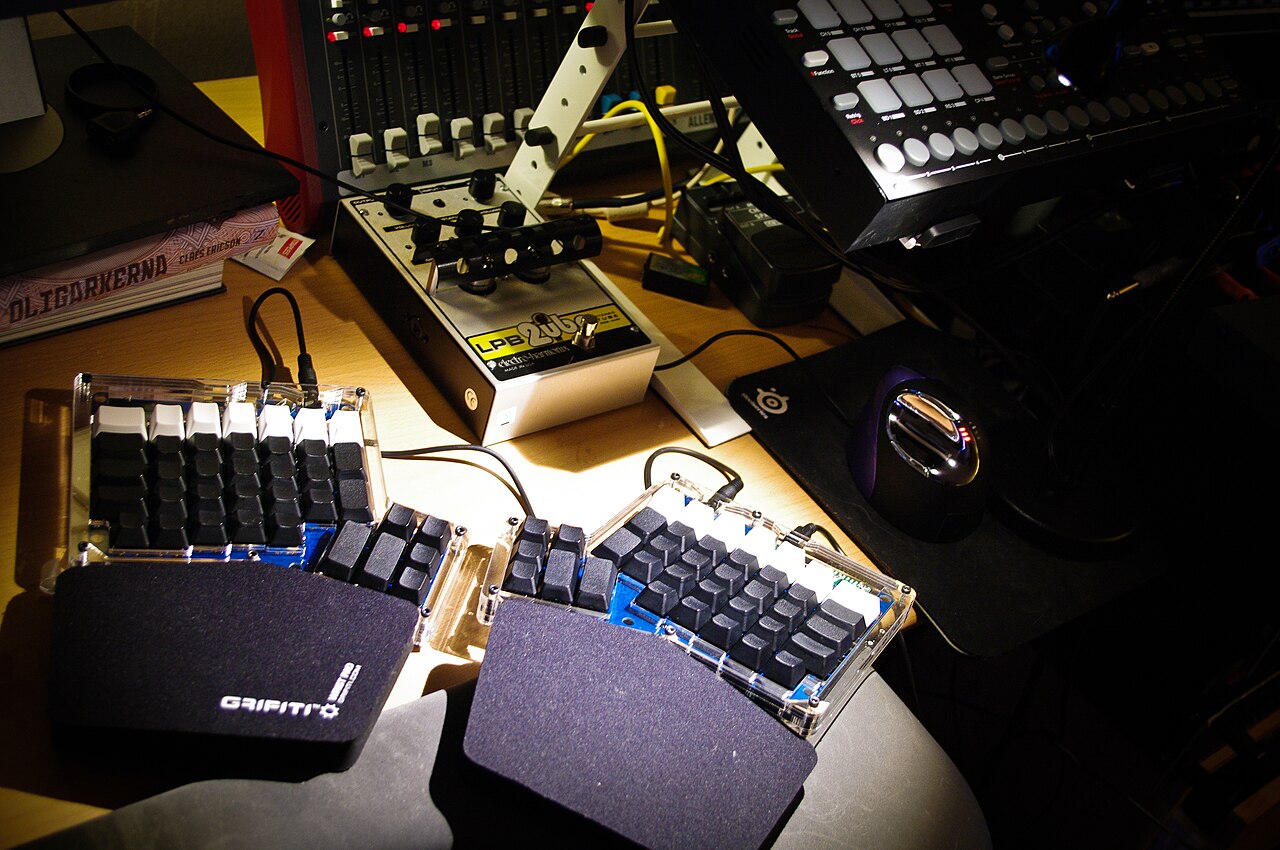
Chris Hsia from United States · CC BY-SA 2.0
An ergonomic keyboard is a computer keyboard built to reduce muscle strain, fatigue, and other issues by taking human factors into account. Its goal is to lower the chance of discomfort in the wrists, arms, shoulders, and neck by placing keys in positions that support a more natural posture.
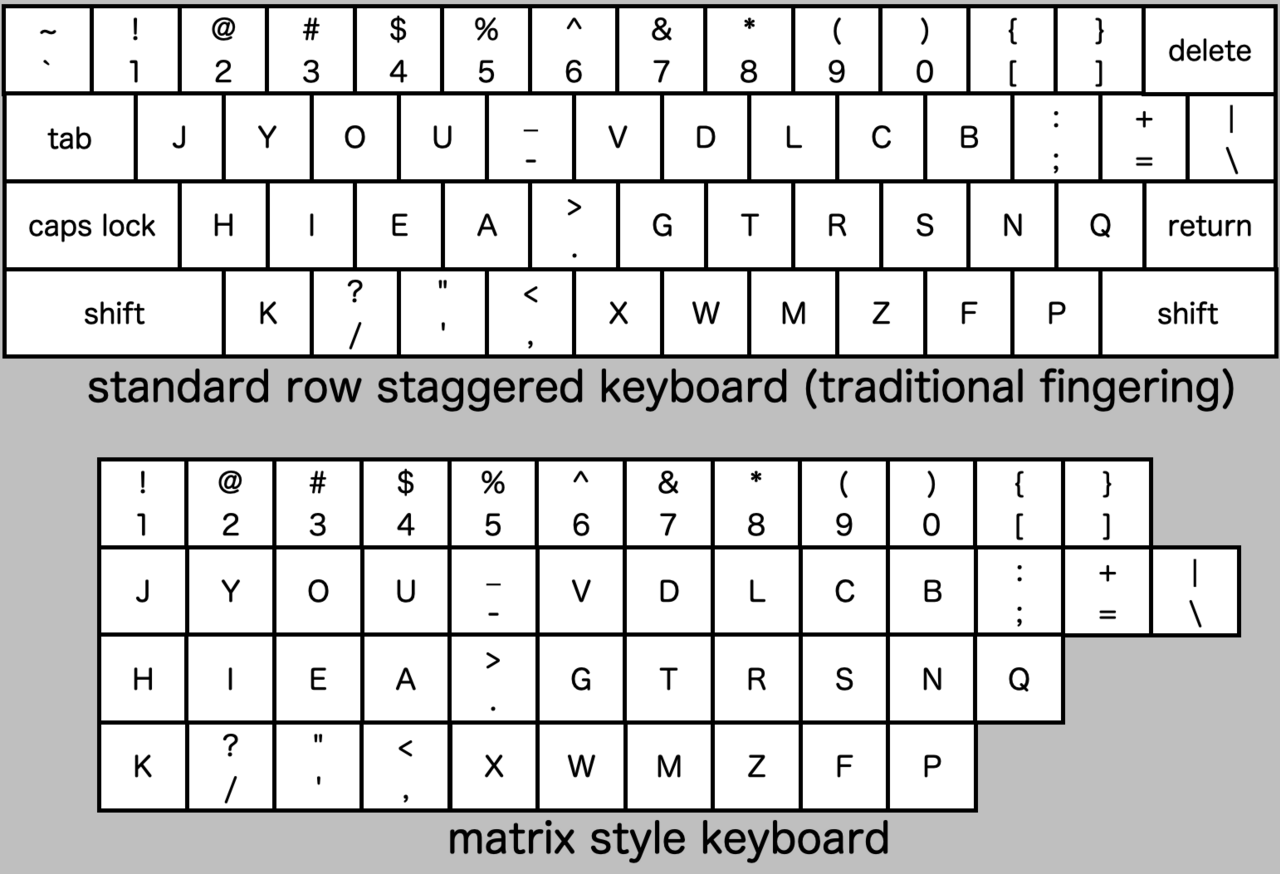
The standard QWERTY layout comes from a mechanical typewriter patented in 1878 by C. Latham Sholes, and research suggests telegraph operators may have influenced its design. The offset columns were needed to fit the physical links between keys and the typewriter’s internal parts. When typing moved to electric typewriters and then computers, the layout stayed the same to help trained users adapt. But this old mechanical design has quirks, like the staggered columns, which can force awkward, repetitive movements and postures. People have proposed fixes since at least 1926.
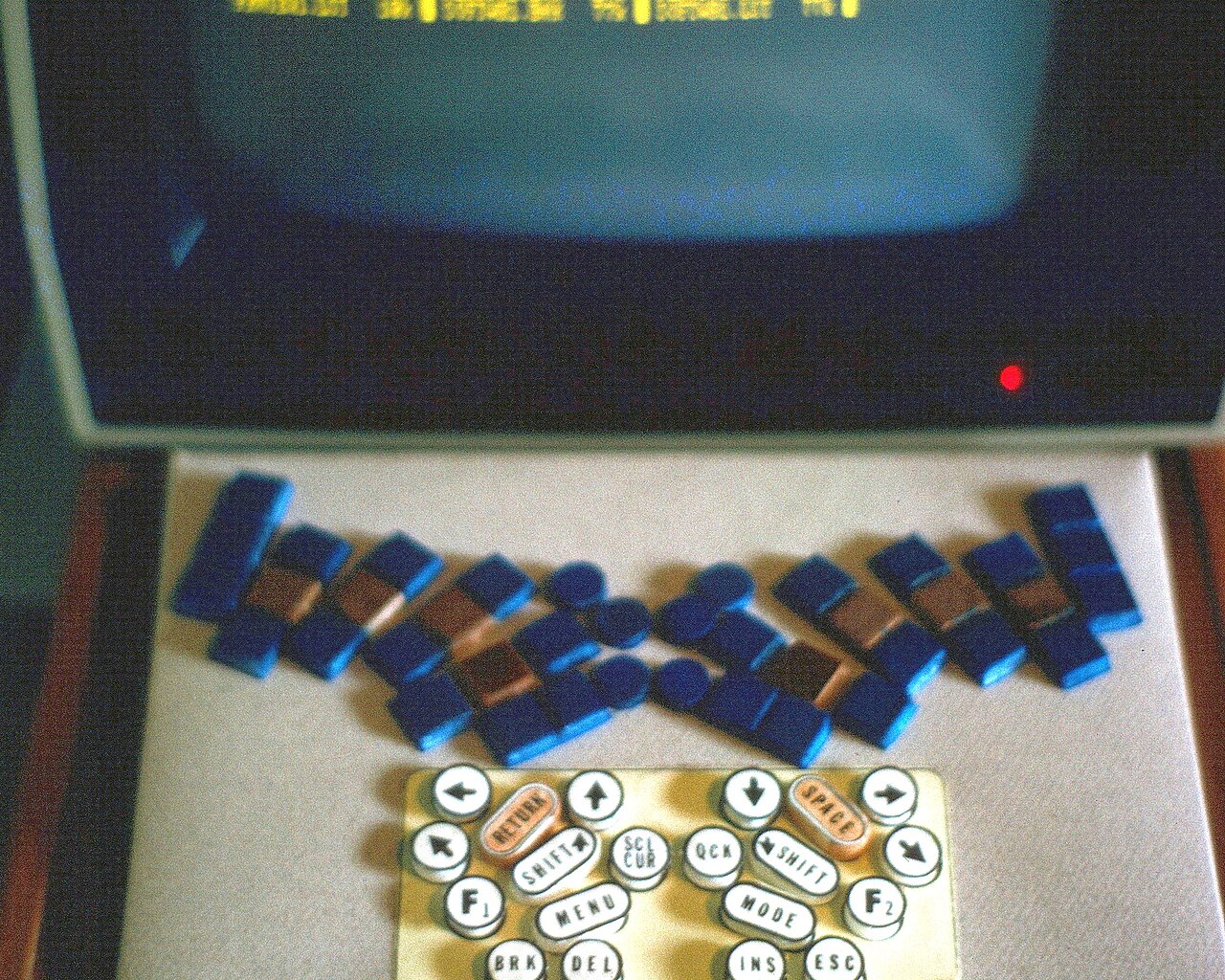
Ergonomic keyboards aim to reduce unnecessary finger motion and avoid postures like raised shoulders, bent wrists, or turned heads. The most relaxed typing position has forearms parallel to the ground and wrists straight. In 1926, a study by Klockenberg suggested splitting the main keys for two-handed typists into left and right halves set at an angle, so wrists stay straight. A 1972 study by Kroemer found that an adjustable split keyboard might reduce pain. In the 1970s, several studies warned that data entry operators risked musculoskeletal injuries.
Compact keyboards leave out the rarely used numeric block. This frees space on the right for a mouse, reducing how far the arm has to rotate outward when switching. There are two main types: tenkeyless (TKL) removes only the numeric block, while 75% layouts also change the arrow key placement. Compact keyboards are not the same as miniature keyboards, which also shrink the key caps.
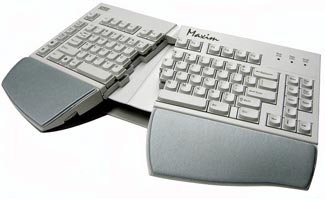
Split keyboards divide keys into two or more sections, changing the angles and distance between them to keep wrists straight. Four parameters matter here. Fixed split keyboards cannot be adjusted, so they are designed to fit many users and can be set up quickly in different places, but they might not suit everyone perfectly. For example, someone with broad shoulders might benefit from an adjustable split keyboard, which lets them customize the gap between halves so elbows aren’t too close.
- Patent year
- 1878
- Patent holder
- C. Latham Sholes
- First study year
- 1926
- First study author
- Klockenberg
- Second study year
- 1972
- Second study author
- Kroemer
- Contoured keyboard introduced
- 1977
- Contoured keyboard name
- Maltron
Lore & Background
The common QWERTY keyboard layout was credited to the mechanical typewriter designed by C. Latham Sholes and patented in 1878. The offset in columns between rows was designed to accommodate the physical links between each key and the internal mechanisms of the typewriter. As typing duties transitioned to electric typewriters and then computers, the layout was retained to ease the transition for trained users. However, the legacy mechanical layout has numerous idiosyncrasies, including the staggered column layout, which can force the user into uncomfortable, repetitive movements and postures. Several potential solutions have been proposed since at least 1926.
Klockenberg published a study in 1926 suggesting that the primary key clusters for two-handed typists should be split into left and right halves set at an angle to each other, allowing the wrists to remain straight. A more detailed study was published in 1972 by Kroemer, suggesting that an adjustable split keyboard may reduce user pain. During the 1970s, several studies suggested that data entry operators were at risk of developing musculoskeletal injuries.
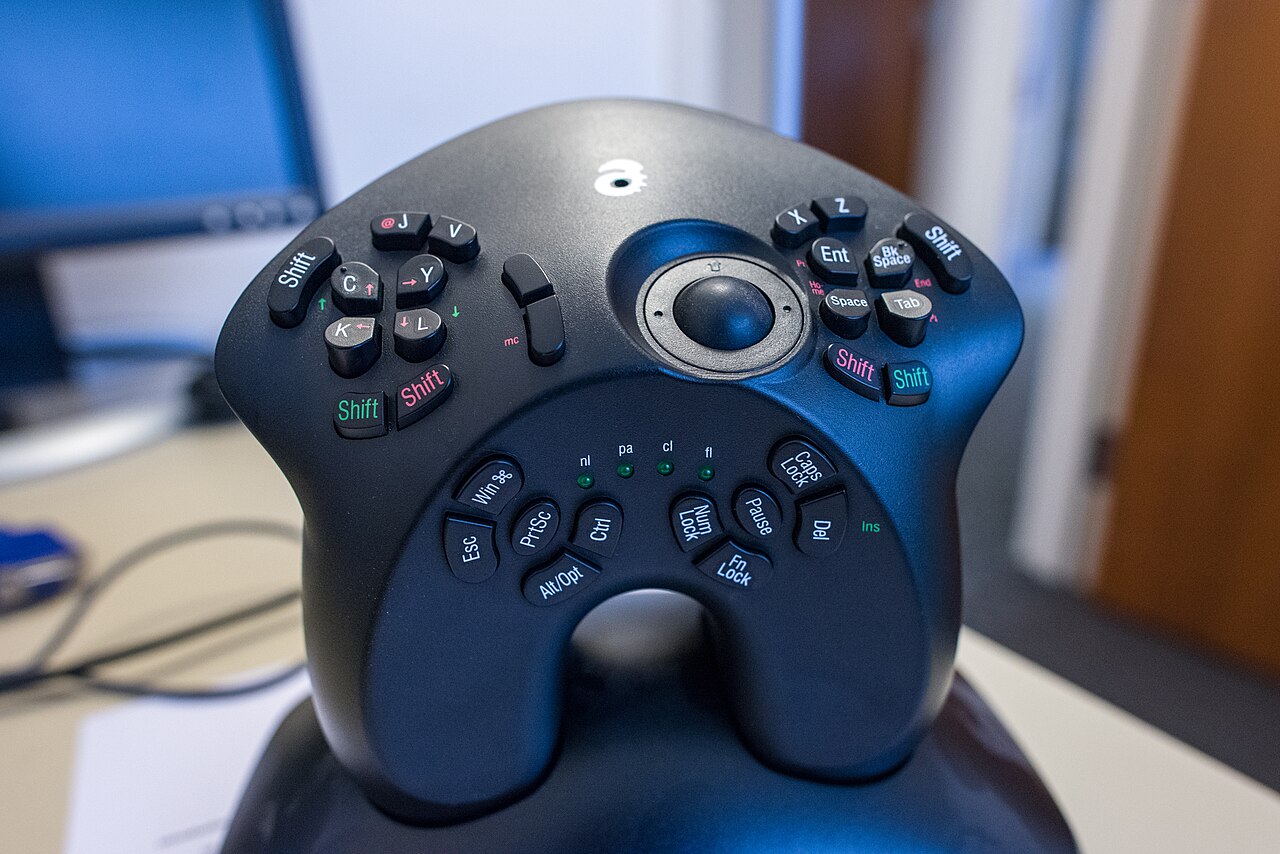
Ergonomic keyboards come in various forms: compact keyboards (lacking the numeric block), split key clusters (fixed or adjustable), vertical column layouts, contoured surfaces, and vertical keyboards. The contoured-surface keyboard like the Maltron (1977) or the newer Kinesis Advantage line (1992+) places keys into two curved depressions set approximately at shoulder width. Some keyboards combine vertical key columns and contoured surfaces with fully-adjustable split key clusters, such as the Kinesis Advantage 360, Dactyl Manuform, and MoErgo Glove80.
Reader's Guide
The significance of ergonomic keyboards lies in their attempt to address the physical strain associated with conventional keyboard layouts. The article notes that it is widely claimed that an ergonomic keyboard may reduce muscle strain and reduce risk of carpal tunnel syndrome or other kinds of repetitive strain injury. However, there are many factors leading to such conditions that appear only after extended use, making it challenging to isolate a single cause. An ergonomic keyboard alone does not make an ergonomic workplace; it requires the involvement of the user, the whole environment, and the tasks being executed. Such keyboards fulfill general principles of ergonomics that advocate for comfortable posture with joints in neutral position to reduce general strain. There are indications, however, that these are not well tolerated. They break with existing user habits, differ from other workplaces, and usually consume more desk space. For better user acceptance, layout changes should be avoided, tenting and hand-rests should be optional, and user preferences must be respected. Narrow studies examining hand position at rest neglect many other possible factors. Ergonomic keyboards may only change the area of stress instead of eliminating it.
Did You Know?
- The QWERTY layout was patented in 1878 by C. Latham Sholes for a mechanical typewriter.
- Klockenberg published a study in 1926 suggesting split key clusters to keep wrists straight.
- The Maltron contoured keyboard was introduced in 1977.
- Some ergonomic keyboards, like the SafeType, have a 90° tenting angle so users type with hands perpendicular to the ground.
Origins and Design Philosophy
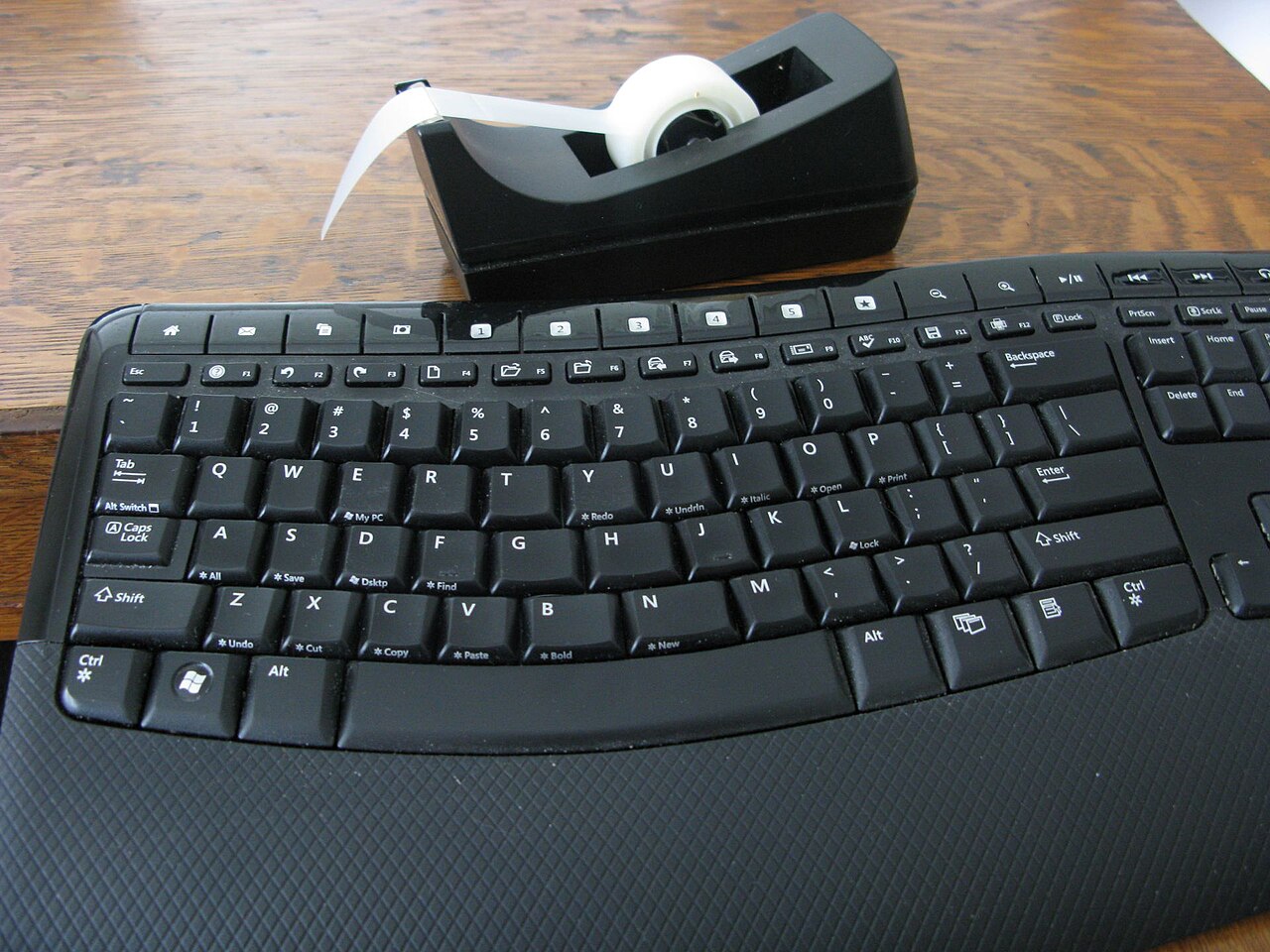
The Microsoft Natural Keyboard, launched in September 1994 for Windows 95 and Novell Netware, represented a bold departure from conventional flat keyboard layouts. Designed by Ziba Design with manufacturing support from Key Tronic, and with design input from Honeywell's Microswitch division (acquired by Key Tronic in early 1994), the keyboard employed a fixed-split architecture. Each half of the alphanumeric section was laterally rotated and tilted, positioning the user's arms and wrists in a near-neutral posture. The specific geometry—roughly 10 to 12.5 degrees of lateral slant per half, a negative 7.5 degree slope from front to back, and a 20 to 30 degree tent angle from center to edges—was engineered to mitigate carpal tunnel syndrome and other repetitive strain injuries. An integrated wrist pad further supported proper sitting posture, reducing strain on the neck, arms, and wrists. The keyboard also debuted two Windows logo keys and a Menu key, anticipating the upcoming operating system's interface needs.
Market Impact and Commercial Success
Although not the first ergonomic keyboard on the market, the Natural Keyboard achieved something no predecessor had: making the category accessible at a sub-$100 price point. Microsoft had projected 100,000 units sold by the end of 1994, but demand far outstripped that forecast. The company quickly instructed Key Tronic to scale production to 100,000 units per month in 1995, and at its peak the Natural Keyboard was moving over 600,000 units monthly. By February 1998, when the Natural Keyboard Elite succeeded it, cumulative sales had surpassed three million units. Bundled with the keyboard was Microsoft IntelliType software, available for both Mac OS X and Windows, which let users extensively remap function keys and customize behavior. This combination of affordable pricing, mass-market availability, and software-driven personalization helped establish ergonomic typing as a mainstream expectation rather than a niche specialty, fundamentally shifting how consumers thought about keyboard design.
Evolution Through Generations
The Natural Keyboard spawned a continuous line of refinements. The Natural Keyboard Elite (February 1998, US$64.95) introduced adjustable rear feet replacing the original's front-mounted reverse-tilt design, but drew criticism for rearranging the six-key navigation cluster and converting the arrow keys from an inverted-T into a cross-like arrangement. The Natural Keyboard Pro (June 1999, US$74.95) restored the standard inverted-T cursor layout and added a top row of program and multimedia shortcut keys, plus an internal two-port USB hub for connecting peripherals like mice. The Natural Multimedia Keyboard (September 2002, US$54.95) reworked the multimedia button row and introduced the F Lock feature, though it again altered the nav/edit cluster into a 2×3 vertical arrangement and relocated the status indicator lights above the backspace key. Later models—the Sculpt Ergonomic Keyboard (2013), Surface Ergonomic Keyboard (2016), and Microsoft Ergonomic Keyboard (2019)—carried the lineage forward into the modern era.
Legacy and the Incase Transition
In January 2024, Microsoft announced it would license the design and manufacturing of both the Microsoft Ergonomic Keyboard and the Sculpt Ergonomic Keyboard to Incase. The products would carry the Incase brand name while remaining designed by Microsoft, reflecting the company's strategic pivot toward concentrating its accessory portfolio under the Surface brand. This move effectively closed a chapter that began in 1994, when the Natural Keyboard became Microsoft's very first computer keyboard. Over three decades, the product line introduced the Windows logo key to the physical keyboard, popularized split and tented geometries as ergonomic solutions, and pushed the category from a premium specialty into everyday office and home use. The Incase arrangement preserves the design DNA while allowing Microsoft to streamline its hardware offerings, ensuring that the ergonomic principles first articulated by Ziba Design and Key Tronic continue to reach consumers under a different corporate banner.
Gallery
Frequently Asked Questions
What is an ergonomic keyboard?
It is a computer keyboard specifically engineered to reduce physical strain on the user's body. By arranging keys to promote a more natural hand and arm position, it helps prevent discomfort in the wrists, shoulders, and neck.
Why did the standard QWERTY layout exist in the first place?
C. Latham Sholes patented the QWERTY arrangement in 1878 for a mechanical typewriter, and the offset key columns were a practical necessity to accommodate the physical linkages inside the machine. Some research also points to telegraph operators as a possible influence on the design.
When did researchers first study ergonomic keyboard design?
The earliest documented study on the topic was conducted by Klockenberg in 1926. A second notable study followed in 1972, authored by Kroemer.
What is the main goal of an ergonomic keyboard?
Its primary purpose is to lower the risk of muscle fatigue and repetitive strain by positioning keys so the user maintains a more natural posture while typing. It targets common problem areas like the wrists, forearms, shoulders, and neck.
How does an ergonomic keyboard differ from a standard one?
While a standard keyboard retains the 1878 Sholes-era layout with its offset columns, an ergonomic keyboard repositions keys to align with the body's natural geometry. This shift in key placement is what reduces the awkward wrist bends and shoulder tension typical of flat, rectangular boards.
More in Computer Keyboards 1-24
Spotted an error? Know more?
Reader corrections go straight into our review queue. Suggest an edit · How this site is sourced