
Computer keyboard
Key-based input device, primary computer interface since the 1970s.

StephenEdmonds for http://popcorn.cx/computers/ · CC BY-SA 2.5 au
A computer keyboard is an input device, either built into a machine or connected externally, that takes its design from the typewriter. It uses a set of buttons, or keys, that function as mechanical levers or electronic switches. Since the 1970s, keyboards based on teleprinter designs have been the primary way people interact with computers, replacing earlier methods like punched cards and paper tape. The computer mouse became a common supplement in the 1980s, and the touchscreen followed in the 2000s. Most keyboards follow one of several standard layouts.
Keys usually have characters printed or engraved on them. Pressing a key typically produces a single written symbol, though some symbols require holding down multiple keys at once or pressing them in a sequence. Most keys generate letters, numbers, or symbols, but others, like the escape key, can tell the computer to run system commands. In modern computers, the software decides what a key press means: the keyboard sends a scan code that only identifies which physical key was pressed or released. Normally, the keyboard is used to enter text, numbers, and symbols into programs like word processors, web browsers, or social media apps. Touchscreens use virtual keyboards.
**History**
All key-based text entry devices trace back to the typewriter, but the computer keyboard as a tool for electromechanical data entry and communication mainly comes from two devices: teleprinters (or teletypes) and keypunches. These devices gave modern keyboards their layouts. As early as the 1870s, teleprinter-like devices could type and send stock market text over telegraph lines to ticker machines, which copied it onto ticker tape. The modern teleprinter was developed between 1907 and 1910 by American mechanical engineer Charles Krum and his son Howard, with early work by electrical engineer Frank Pearne. Earlier models were created separately by Royal Earl House and Frederick G. Creed. Meanwhile, Herman Hollerith built the first keypunch devices, which by the 1930s had evolved to include keys for text and numbers, like typewriters.
For most of the 20th century, the teleprinter keyboard was key for point-to-point and point-to-multipoint communication, while the keypunch keyboard was essential for data entry and storage.
- Key spacing ansi
- 0.75 inches (19 mm)
- Key travel ansi
- at least 0.15 inches (3.8 mm)
- Full size keys us
- 104 keys
- Full size keys international
- 105 keys
- Earliest teleprinter like device
- 1870s
- Teleprinter developed by
- Charles Krum and Howard Krum (1907–1910)
- First keypunch devices developed by
- Herman Hollerith
Lore & Background
The computer keyboard's history largely comes from two devices: teleprinters (or teletypes) and keypunches. As early as the 1870s, teleprinter-like devices transmitted stock market text data across telegraph lines. The teleprinter in its more contemporary form was developed from 1907 to 1910 by American mechanical engineer Charles Krum and his son Howard, with early contributions by electrical engineer Frank Pearne. Earlier models were developed separately by Royal Earl House and Frederick G. Creed. Herman Hollerith developed the first keypunch devices, which evolved to include keys for text and number entry akin to normal typewriters by the 1930s.
The keyboard on the teleprinter played a strong role in point-to-point and point-to-multipoint communication for most of the 20th century, while the keyboard on the keypunch device played a strong role in data entry and storage. The development of early computers incorporated electric typewriter keyboards: the ENIAC computer used a keypunch device as both input and paper-based output, and the BINAC computer used an electromechanically controlled typewriter for data entry onto magnetic tape and data output.
Keyboards remained the primary, most integrated computer peripheral until the introduction of the mouse as a consumer device in 1984. Text-only user interfaces gave way to graphics-rich icons on screen, but keyboards remain central to human-computer interaction, though mobile devices such as smartphones and tablets use a virtual keyboard.
Reader's Guide
The computer keyboard's significance lies in its role as the main input method for computers since the 1970s, replacing earlier punched cards and paper tape technology. It inherited its layouts from teleprinters and keypunches, which were essential for communication and data entry throughout the 20th century. The keyboard remained the primary peripheral until the mouse's introduction in 1984, and it continues to be central to human-computer interaction. Modern keyboards follow standard mechanical layouts (ISO, ANSI, JIS) and come in various sizes, from full-size desktop keyboards with 104 or 105 keys to tenkeyless designs, laptop keyboards with shorter travel, flexible silicone keyboards for clean environments, handheld ergonomic keyboards, and thumb-sized keyboards for PDAs and smartphones. The interpretation of key presses is left to software, which receives scan codes indicating which physical keys were pressed or released. Keyboards are used for text entry into application software such as word processors, web browsers, and social media apps, while touchscreens use virtual keyboards.
Did You Know?
- Modern full-size keyboards matching US conventions typically have 104 keys, while 105-key layouts are the norm in the rest of the world.
- Flexible keyboards are often made from silicone, making them water- and dust-proof, useful in hospitals.
From Telegraph Lines to Terminal Screens
The modern computer keyboard did not emerge in a vacuum. Its deepest roots stretch back to the 1870s, when teleprinter-like apparatus allowed operators to type stock-market data and transmit it over telegraph wires to ticker machines that printed the results onto tape. The more recognizable teleprinter form was refined between 1907 and 1910 by American mechanical engineer Charles Krum, his son Howard, and electrical engineer Frank Pearne, building on earlier separate efforts by Royal Earl House and Frederick G. Creed. In parallel, Herman Hollerith's keypunch machines—initially designed for tabulating data—grew to include typewriter-style letter and number keys by the 1930s. These two lineages, one oriented toward real-time communication and the other toward batch data entry, both fed directly into early computing. The ENIAC project incorporated a keypunch as both its input and paper-based output mechanism, while the BINAC machine drove an electromechanical typewriter to read and write magnetic tape. Throughout the twentieth century, teleprinter keyboards dominated point-to-point and multipoint communication, and keypunch boards dominated data storage, and together they handed their physical layouts and key arrangements to every computer keyboard that followed.
What Happens When You Press a Key
At its most basic level, a keyboard key functions as either a mechanical lever or an electronic switch, and the character or symbol you expect to see on screen is simply engraved or printed on the keycap. A single press typically maps to one written symbol, though certain characters demand that two or more keys be held down together or struck in a specific sequence. Beyond plain text, dedicated keys such as the escape key are wired to trigger system-level commands rather than produce a glyph. In a modern computing environment, however, the hardware itself does very little of the interpretive work. What the keyboard transmits to the computer is a scan code—a signal identifying only which physical key or combination of keys has been pressed or released. The software running on the machine then decides what that press means in context. In everyday use, this pipeline powers text entry into word processors, web browsers, and social-media applications, while touchscreens on phones and tablets route the same characters through virtual on-screen keyboards rather than physical ones.
Three Standards, a Few Dozen Keys
Full-size desktop keyboards today conform to one of three principal mechanical-layout standards. The ISO standard (ISO/IEC 9995-2) serves as the broad international reference, the ANSI standard (ANSI-INCITS 154-1988) governs United States conventions, and the JIS standard (JIS X 6002-1980) addresses Japanese needs. Under the ANSI specification, alphanumeric keys sit on three-quarter-inch centers with a minimum travel of 0.15 inches, giving the layout its characteristic feel. Key counts are a common shorthand: a 104-key board is the typical US full-size configuration, while a 105-key arrangement is the norm elsewhere in the world. Manufacturers frequently trim keys or entire sections for compactness or personal preference; the most popular omission is the numeric keypad, yielding what is called a tenkeyless or TKL design. Laptops and wireless peripherals tend to drop duplicate and rarely used keys, though function keys and arrow keys are almost universally retained. Ultimately, how small a keyboard can become is bounded by the practical reality that each key must remain large enough for a fingertip to press comfortably, or else a separate tool is needed to actuate it.
From Sole Input to One Tool Among Many
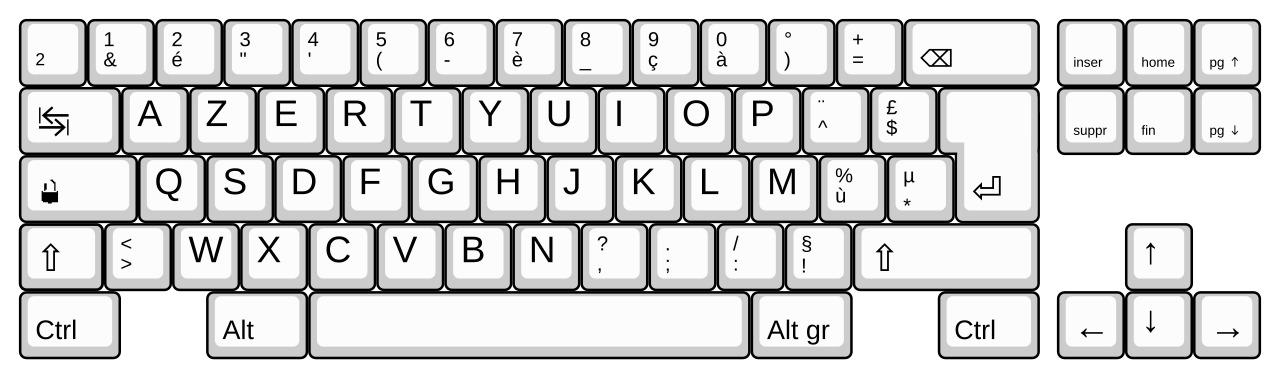
For roughly a decade after the 1970s, the keyboard was essentially the only way a person interacted with a computer, having displaced the punched-card and paper-tape methods of the earlier era. That monopoly began to erode in the 1980s when the computer mouse entered the consumer market—most notably in 1984—and graphical user interfaces with icons gradually replaced text-only screens. The touchscreen, arriving in the 2000s, added yet another channel for input, and mobile devices such as smartphones and tablets now rely on virtual on-screen keyboards rather than physical ones. Despite these additions, the keyboard has never been displaced as a central element of human-computer interaction. Laptop and notebook keyboards illustrate how the form adapts: they feature shorter keystroke travel, a reduced key set, and often omit the numeric keypad, while their internal switch mechanism more commonly uses a scissor mechanism rather than the rubber-dome switches favored in full-size desktop boards. Desktop keyboards, by contrast, carry the full repertoire of alphabetic characters, numerals, punctuation, currency symbols, diacritics, and function keys, with the specific glyph set shaped by national language conventions.
Gallery

Frequently Asked Questions
Who is Computer keyboard?
Computer keyboard is a key-based input device—either built into a machine or connected externally—that converts physical key presses into electronic signals the computer can process.
What are Computer keyboard's powers/role?
Each key functions as a mechanical lever or electronic switch, and since the 1970s this arrangement has served as the primary interface through which people send text and commands to a computer.
What is Computer keyboard's origin story?
Its design descends directly from the typewriter, with teleprinter-like predecessors appearing in the 1870s and Charles and Howard Krum building the teleprinter between 1907 and 1910. That teleprinter layout became the foundation for the standard keyboard arrangements still in use today.
Why is Computer keyboard important?
It replaced cumbersome earlier methods such as punched cards and paper tape, and full-size models carry 104 keys in the US or 105 internationally, with ANSI standards specifying 0.75-inch key spacing and at least 0.15 inches of travel.
More in Computer Keyboards 1-24
Spotted an error? Know more?
Reader corrections go straight into our review queue. Suggest an edit · How this site is sourced