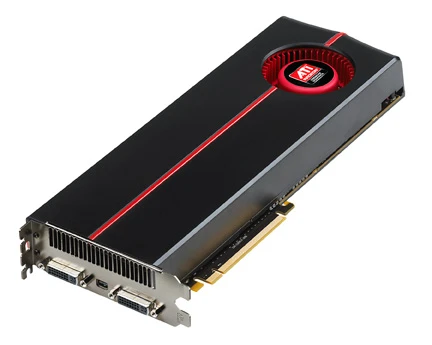
Hardware overlay
A dedicated video memory buffer for fast-moving image display.

Hardware overlay is a technique used in computing where a dedicated memory buffer inside the video hardware handles the rendering of an image to the display. This approach is designed to improve performance when displaying fast-moving video content, such as computer games, DVDs, or TV card signals. Most video cards made after around 1998 and most media players include support for this feature.
The overlay functions as a separate buffer that a single application can use—typically for video playback—without the heavy performance cost of constantly checking for clipping or overlapping with other applications. The framebuffer itself includes hardware support to import and display the contents of this buffer without relying on the GPU.
In a typical graphical user interface operating system, like Windows, multiple applications share a single display device. Without a hardware overlay, the operating system's graphical subsystem must continuously verify that each application's drawn objects appear in the correct screen location and do not collide with overlapping or neighboring windows. When a collision occurs, the subsystem clips the objects during drawing. This constant checking and clipping ensures applications can cooperate on the display, but it consumes a significant amount of computing power.
Normally, a computer writes a bitmapped representation of graphics into video memory. Without overlays, there is only one block of video memory that all applications must share, and the location of each application's memory shifts whenever the user moves its window. This forces each application to constantly verify it is writing only to its own memory region. For high-bandwidth applications like movie players or some games, the overhead of this clipping and checking harms performance and compatibility. A hardware overlay avoids these issues. Additionally, the GPU can efficiently scale the video and often perform color-format conversions, such as converting MPEG-2's YCbCr to RGB.
An application using a hardware overlay gets its own separate section of video memory that no other program uses. Because nothing else accesses this memory, the application never needs to waste resources checking ownership or monitoring window movements.
- Introduced in consumer video cards
- most video cards manufactured since about 1998
- Supported by
- most media players
- Primary display requirement
- only the primary display device can display hardware overlays
- Exceptions to primary requirement
- Intel 945 and G33-Q965 chipsets have dual hardware overlay; some newer Matrox cards support overlay on both displays
- Operating system implementations
- Windows Vista, Windows 7, Windows 8.1, Mac OS X (Quartz Extreme), X Window System (XVideo extension), AmigaOS (Picasso96, CyberGraphX)
Lore & Background
Hardware overlay emerged as a solution to the performance problems of shared video memory in graphical user interface operating systems. Without an overlay, each application must constantly check for clipping and overlapping when drawing to the screen, consuming significant computing power. The overlay provides a completely separate section of video memory belonging only to one application, eliminating the need for these checks. The graphics card then blends the overlay onto the main display using a masking technique known as chroma key, where a specific color (often a near-black shade) marks the region where the overlay content appears.
A consequence of hardware overlay use is that screenshot programs often fail to capture the overlay content, instead recording only the mask color. This occurs because screen capture routines typically access only the shared main screen memory, not the dedicated overlay buffer. Secondary display support for overlays varies: many graphics cards require the primary display to be the overlay target, though some chipsets (e.g., Intel 945, G33-Q965) and Matrox Parhelia series offer dual overlay support. Driver bugs have been noted that can cause most video formats except MPEG-2 to work on both monitors.
Operating systems have adopted different approaches to hardware overlay. Windows Vista replaced basic overlays with full hardware compositing via the Desktop Window Manager, where each application draws to its own buffer and the GPU assembles them. Windows 7 added limited overlay support back, and Windows 8.1 introduced multi-plane overlays for power savings. Mac OS X has used hardware compositing since Quartz Extreme in version 10.2. The X Window System uses the XVideo extension for overlays, and compositing window managers like compiz and Beryl have been prominent since 2006. AmigaOS gained overlay support (called Picture In Picture) through the Picasso96 and CyberGraphX driver systems.
Reader's Guide
Hardware overlay was significant because it allowed high-bandwidth video applications—such as DVD players and games—to run efficiently on multitasking operating systems without the overhead of constant clipping and memory-location checks. By dedicating a separate video memory buffer to a single application, it bypassed the performance bottlenecks of shared framebuffers. The technique relied on chroma key masking to integrate the overlay with the rest of the desktop, and the GPU could additionally scale video and perform color-format conversions like YCbCr to RGB.
Its legacy is evident in the evolution of operating system graphics architectures. Windows Vista's Desktop Window Manager moved away from per-application overlays to full hardware compositing for all windows, but later versions (Windows 7, Windows 8.1) reintroduced limited overlay support to reduce power consumption. Mac OS X adopted hardware compositing from version 10.2 onward. The X Window System's XVideo extension and compositing window managers like compiz and Beryl continued the use of overlays for visual effects. Dedicated hardware devices, such as video loggers using embedded Linux, also employed overlay techniques to blend graphics onto live video feeds. The article notes that secondary display support for overlays remains inconsistent, with driver bugs and chipset limitations affecting which video formats work on which monitors.
Did You Know?
- Most video cards manufactured since about 1998 support hardware overlay.
- Screenshot programs often capture only the mask color instead of the overlay content.
- Windows 8.1 added support for multi-plane overlays to save power.
- The Intel 945 and G33-Q965 chipsets support dual hardware overlay.
The Dedicated Buffer Concept
Hardware overlay represents a fundamental architectural choice in how video content reaches a display. Rather than forcing a video stream through the same shared pipeline as every other graphical element, the technique allocates a separate memory buffer directly within the video hardware itself. An application renders its content—typically a fast-moving video such as a game, DVD playback, or a TV card signal—into this isolated region. The framebuffer then imports and displays the buffer's contents without routing them through the GPU. This design was broadly adopted in video cards manufactured from roughly 1998 onward, and most media players include support for it. The key advantage is that the overlay buffer is exclusively owned by the application using it, eliminating the need for that application to verify memory ownership or track window repositioning. The GPU still plays a supporting role, providing efficient scaling of the video and performing color-format conversions, such as translating MPEG-2's YCbCr color space into the RGB values the display expects.
The Multi-Window Performance Problem
In a graphical operating system like Windows, a single display routinely shows multiple application windows at once. Without a hardware overlay, all of those applications must share one chunk of video memory, and the operating system's graphical subsystem bears the burden of managing that shared space. Every time an application draws something to the screen, the system must continuously verify that the drawn objects land in the correct location and do not collide with neighboring or overlapping windows. When a collision is detected, the subsystem clips the objects mid-draw. This constant cycle of checking and clipping is what allows multiple programs to coexist on one display, but it consumes a substantial share of available computing power. For a high-bandwidth application like a movie player or a demanding game, that overhead translates into measurable performance degradation and compatibility headaches. A hardware overlay sidesteps this entire problem by giving the video application its own private memory region, freeing it from the need to monitor window positions or validate every write operation.
Chroma Key Compositing
Once an application has rendered its video into the dedicated overlay buffer, the system still needs to blend that image onto the shared display alongside all other windows. The graphical subsystem handles this by designating a specific attribute—often a particular color—as a mask that tells the graphics card where to composite the overlay content. This technique, commonly called chroma key, works by having the application draw a solid rectangle of the mask color onto the shared screen. For instance, if the system defines a shade of purple as the trigger, a DVD player would paint a purple rectangle in the desired screen region and then write the actual video frames into the separate overlay memory. The graphics card then renders the DVD footage exclusively within that purple area. If another window slides over part of the rectangle, the hardware itself performs the clipping, requiring no software intervention. In real-world implementations, the mask color is rarely an obvious hue like purple; instead, a near-black shade or an alternative non-color masking method is typically used, since the system has thousands of subtle shades available.
Practical Limitations and Display Constraints
Despite its efficiency, hardware overlay introduces several practical quirks that users encounter. The most visible is its effect on screen capture: when a user presses the Print Screen key in Windows, the built-in screenshot tool records only the shared main framebuffer and ignores the dedicated overlay memory entirely. The result is a blank region where the video should appear, filled with the mask color rather than the actual content. Secondary display support presents another layer of complexity. Most graphics cards require one output to be declared primary, and only that primary device can display hardware overlays. While some newer chipsets—such as certain Intel 945, G33, and Q965 models, or Matrox Parhelia-series cards—support overlays on both displays, driver support may lag behind the hardware capability. Users have reported DVD video playing correctly on a laptop's built-in screen but failing on a connected TV, sometimes resolvable by switching the primary display designation or disabling overlay in the media player altogether.
Frequently Asked Questions
What is Hardware overlay in graphics hardware?
It is a rendering technique in which a dedicated memory buffer inside the video hardware draws an image straight to the screen. A single application—typically a video player—owns that buffer and can display frames without the usual overhead of checking for clipping or overlap against other windows.
Why was Hardware overlay introduced?
It was built to improve performance when showing fast-moving content such as computer games, DVDs, or TV-card signals. By offloading the video frame to a separate hardware-managed buffer, the system avoids the heavy cost of compositing that frame into the main display surface every refresh.
Can I display a Hardware overlay on a secondary monitor?
Generally no—only the primary display device is capable of showing a hardware overlay. The exceptions are Intel 945 and G33/Q965 chipsets, which allow dual overlays, and select newer Matrox cards that support overlay output on both connected displays.
Which operating systems provide Hardware overlay support?
Windows Vista, Windows 7, and Windows 8.1 all include it, as do Mac OS X (through Quartz Extreme) and the X Window System (via the XVideo extension). Most media players also ship with built-in overlay support so users get the benefit out of the box.
When did Hardware overlay become standard on consumer video cards?
The vast majority of video cards manufactured since roughly 1998 include the feature, making it a near-universal capability in both discrete GPUs and integrated graphics. It has since become an expected baseline for any card intended for video playback.
More in Graphics Hardware 1-24
Spotted an error? Know more?
Reader corrections go straight into our review queue. Suggest an edit · How this site is sourced