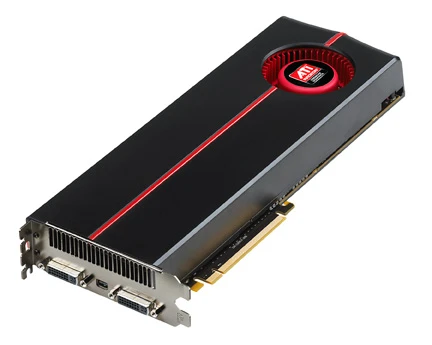
Graphics pipeline
A series of procedures converting 3D scenes to 2D displays.

The graphics pipeline, sometimes called the rendering pipeline, describes the sequence of steps that turn a three-dimensional scene into the two-dimensional image you see on a screen. After a 3D model is created, this pipeline processes it until it becomes a visible picture on a computer display. No single pipeline works for every situation, because the exact process depends on the software, the hardware, and what the final image should look like. To manage this variety, graphics APIs like Direct3D, OpenGL, and Vulkan were created. These APIs standardize the common tasks and control the pipeline for a given graphics card. They act as a middle layer between the programmer and the hardware, so developers do not have to write separate code for each brand of accelerator, such as those from AMD, Intel, or Nvidia. Real-time rendering typically uses this pipeline model. Most of its stages are built into hardware, which allows for special performance tweaks. The word "pipeline" is used here much like it is for a processor pipeline: different stages can run in parallel as long as each stage has enough data to work with. The term "3D pipeline" usually refers to the most common form of 3D rendering: polygon rendering, which is different from raycasting or raytracing. In raycasting, a ray starts at the camera’s position, and if it hits a surface, the color and lighting at that point are calculated. Polygon rendering works the opposite way: it first figures out which surfaces are visible to the camera, then creates rays from every part of those surfaces and traces them back to the camera. A graphics pipeline can be split into three main parts: Application, Geometry, and Rasterization. The Application stage runs on the main processors (CPU or GPU). Here, the scene is updated based on user input or animation. The modified primitives—points, lines, triangles, and so on—are then sent to the next stage. Examples of work done here include collision detection, animation, morphing, and acceleration techniques like quadtrees or octrees. These methods also help reduce the amount of memory needed at any one time, since a modern game world is often larger than the available onboard memory. The Geometry stage (also called the vertex pipeline) handles most polygon operations.
- Main parts
- Application, Geometry, Rasterization
- Geometry subtasks
- Model and camera transformations, Lighting, Projection (Z-buffering), Clipping, Viewport
- Projection target volume
- Cube with corner points (−1, −1, 0) and (1, 1, 1)
- Common apis
- Direct3D, OpenGL, Vulkan
- Hardware vendors mentioned
- AMD, Intel, Nvidia
Lore & Background
The model of the graphics pipeline is usually used in real-time rendering, with most pipeline steps implemented in hardware for special optimizations. The term 'pipeline' is used similarly to processor pipelines: individual steps often run in parallel when a given stage has enough data. The 3D pipeline usually refers to 3D polygon rendering, distinct from raytracing and raycasting. In raycasting, a ray originates at the camera and hits a surface; in 3D polygon rendering, the area given the camera is calculated and rays are created from every part of every surface and traced back to the camera. The pipeline can be divided into three main parts: Application, Geometry, and Rasterization. The application step is executed by software or hardware on the main processors (CPU, GPU) and handles changes to the scene, such as user interaction or animation. The geometry pipeline handles operations with polygons, including model and camera transformations, lighting, projection, clipping, and viewport transformation. The rasterization step creates discrete fragments from continuous primitives, with each fragment corresponding to one pixel in the frame buffer.
Reader's Guide
The graphics pipeline is significant because it standardizes the process of rendering 3D scenes through graphics APIs such as Direct3D, OpenGL, and Vulkan, which provide an abstraction layer over underlying hardware. This relieves programmers from writing code explicitly targeting various graphics hardware accelerators like AMD, Intel, and Nvidia. The pipeline's structure—Application, Geometry, and Rasterization—enables efficient real-time rendering, with many steps implemented in hardware for optimization. The geometry stage includes critical transformations: world coordinate system transformations, camera transformation, projection (including perspective and orthogonal), lighting calculations, clipping against the view frustum, and window-viewport transformation. The rasterization step finalizes the process by converting continuous primitives into discrete fragments for the frame buffer. The pipeline's legacy lies in its widespread use for real-time rendering, particularly in computer games and interactive graphics, where it allows complex scenes to be rendered efficiently by parallelizing pipeline stages.
Did You Know?
- The graphics pipeline is also known as the rendering pipeline.
- A universally applicable graphics pipeline does not exist due to dependence on specific software and hardware configurations.
- The geometry pipeline can be further divided into five tasks: model and camera transformations, lighting, projection, clipping, and viewport.
- In the rasterization step, discrete fragments are created from continuous primitives, each corresponding to one pixel in the frame buffer.
Purpose and the Role of API Standardization
The graphics pipeline exists to bridge the gap between a three-dimensional digital scene and the flat two-dimensional image a viewer sees on a monitor. Once a 3D model has been constructed, the pipeline takes over, converting that model into a visually interpretable format suitable for display. Because the exact sequence of operations depends heavily on the particular software stack, hardware configuration, and the attributes of the target display, no single universal pipeline can serve every context. To address this fragmentation, industry-standard APIs—Direct3D, OpenGL, and Vulkan—were created. These interfaces define a common set of procedures and act as an abstraction layer sitting above the raw hardware. Their practical effect is significant: a programmer writing rendering code does not need to craft separate instructions for AMD, Intel, Nvidia, or other graphics accelerator vendors. The API handles the translation, letting developers focus on scene logic rather than silicon-specific details.
The Three-Stage Architecture
The pipeline is conventionally divided into three major phases: Application, Geometry, and Rasterization. The Application stage runs on the main processors—CPU or GPU—and is where the scene is actively modified. User input through controllers or other devices, animation playback, collision detection, morphing, and spatial subdivision techniques like quadtrees and octrees all belong here. These methods also help manage memory, since the virtual world in a modern game typically exceeds the capacity of onboard video memory. The Geometry stage handles the bulk of polygon-level operations, encompassing model and camera transformations, lighting calculations, projection with Z-buffering, clipping, and viewport mapping. Finally, Rasterization converts the geometric data into the individual pixels that fill the screen. The order and parallelism of these sub-steps are implementation-specific, meaning different hardware vendors may organize them differently under the hood.
Coordinate Systems and the Mathematics of View
Before any pixel is drawn, every object in the scene must be positioned within a coherent mathematical framework. Objects are typically modeled in their own local coordinate system for simplicity, then placed into the global world coordinate system through translation, rotation, or scaling—achieved by multiplying the appropriate transformation matrices. A single tree model, for instance, can be instanced into an entire forest by applying different transformations to copies. The scene also defines a virtual camera, specifying the viewer's position and direction. The camera transformation repositions the entire scene so the camera sits at the origin looking down the Z-axis. Projection then maps the resulting view volume into a normalized cube spanning from (−1, −1, 0) to (1, 1, 1). Two additional clipping planes trim the volume into a frustum, limiting what is rendered. For efficiency, the camera and projection matrices are often pre-combined into a single matrix, so only the per-object world matrix changes frame to frame.
Real-Time Execution and the Pipeline Metaphor
The graphics pipeline is primarily a real-time rendering model, and the word "pipeline" is borrowed deliberately from processor design. In a CPU pipeline, individual instruction stages execute concurrently once a given stage has accumulated enough data; the graphics pipeline follows the same principle. Most stages are implemented directly in hardware, which enables special optimizations that would be impractical in pure software. This parallelism is what makes interactive frame rates achievable. It is also worth noting that the standard 3D pipeline refers specifically to polygon rendering, which is distinct from raytracing and raycasting. In raycasting, a ray is cast from the camera position outward, and if it strikes a surface, the color and lighting at that intersection point are computed. Polygon rendering inverts this logic: the camera's visible area is determined first, and then rays are traced backward from every point on every visible surface to the camera. This architectural difference shapes how the pipeline stages are organized and optimized.
Frequently Asked Questions
What is the graphics pipeline in simple terms?
It is the ordered chain of operations that takes a 3D model and converts it into the flat 2D picture you see on a monitor. Think of it as the full journey from raw geometry all the way to visible pixels on your display.
What are the three main stages of the graphics pipeline?
The pipeline is generally split into Application, Geometry, and Rasterization phases. The Geometry stage handles model and camera transformations, lighting, projection with Z-buffering, clipping, and viewport mapping before rasterization turns the result into screen pixels.
What is the normalized projection volume and why does it matter?
After the projection step, all visible geometry is mapped into a cube whose corners span from (−1, −1, 0) to (1, 1, 1). Anything that falls outside this box gets clipped and never reaches the final image.
Why do we need APIs like Vulkan, OpenGL, and Direct3D?
Because no single fixed pipeline fits every combination of software, GPU, and desired visual output, these APIs standardize the common rendering tasks so developers can write portable code. They act as the contract between the application and hardware from AMD, Intel, or Nvidia.
Which GPU vendors actually execute the pipeline on hardware?
The major silicon makers—AMD, Intel, and Nvidia—each build dedicated hardware to carry out the pipeline's geometry and rasterization work. Their GPUs handle the heavy lifting that the APIs dispatch to them.
More in Graphics Hardware 1-24
Spotted an error? Know more?
Reader corrections go straight into our review queue. Suggest an edit · How this site is sourced