Frequently Asked Questions
The most-asked questions about graphics hardware.
What exactly is a graphics card or GPU?
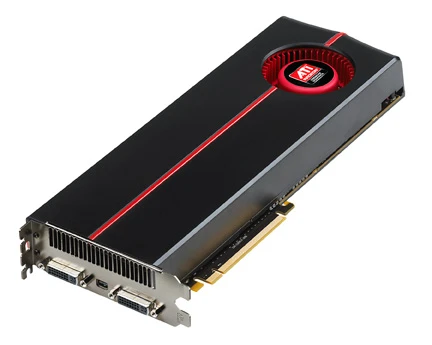
A graphics card is a dedicated circuit board whose job is to process and render images, video, and 3D geometry so they can be displayed on a monitor. It offloads that pixel-heavy work from the main CPU by using thousands of small parallel processing units and its own fast on-board memory.
Who are the main manufacturers in the GPU market?
NVIDIA, AMD, and Intel are the three dominant GPU vendors, each competing across consumer, professional, and data-center segments. NVIDIA and AMD have led the discrete-card space for over two decades, while Intel joined that particular market more recently with its Arc series.
What's the difference between integrated and discrete graphics?
Integrated graphics are a rendering block built directly into the CPU or chipset and share the system's main memory, whereas discrete graphics are a separate card with dedicated VRAM and its own power delivery. Discrete cards deliver substantially higher throughput but cost more and draw significantly more wattage.
What is VRAM and why does it matter?
VRAM is the high-bandwidth memory soldered onto a GPU that stores textures, framebuffers, and other data the renderer needs at any given instant. Having enough VRAM prevents stuttering and texture pop-in, especially at 1440p and 4K resolutions or in memory-hungry titles.
What does a GPU 'generation' actually refer to?
A generation marks a major architectural redesign, such as NVIDIA's shift from Ampere to Ada Lovelace or AMD's move from RDNA 2 to RDNA 3. Each new generation typically introduces a different manufacturing process, new hardware features like ray-tracing units or AI accelerators, and improved performance-per-watt.
What are some landmark moments in GPU history?
The 3dfx Voodoo cards of the mid-1990s are widely credited with establishing the discrete GPU as a mainstream consumer product, and NVIDIA's GeForce 256 in 1999 was the first chip marketed explicitly under the 'GPU' name. The 2020–2022 era then brought hardware-accelerated ray tracing to the masses and made AI upscaling features like DLSS and FSR a standard part of the rendering pipeline.
How should a beginner approach choosing a GPU?
First pin down your primary use case—gaming at a target resolution, video editing, 3D rendering, or AI workloads—then match it to a card tier that fits your budget. Also check physical dimensions, TDP, and required PCIe power connectors to confirm the card will actually fit in your case and PSU.
How do professional and data-center GPUs differ from gaming cards?
Workstation cards such as NVIDIA's RTX A-series or AMD's Radeon Pro carry ISV driver certifications, larger memory configurations, and often ECC memory for reliability in rendering and CAD work. Data-center accelerators like the A100, H100, or MI300X are engineered for multi-GPU scaling, extreme memory bandwidth, and sustained throughput rather than single-frame graphics output.
What are hardware ray tracing and AI upscaling?
Hardware ray tracing uses dedicated RT cores to simulate how light physically bounces, reflects, and casts shadows, producing far more realistic lighting than traditional rasterization. AI upscaling (DLSS, FSR, XeSS) renders a frame at a lower internal resolution and then reconstructs a sharper, higher-resolution image with a neural network, raising frame rates with minimal visible quality loss.
Where should a newcomer start learning about GPU technology?
A solid first step is understanding the basic rendering pipeline—vertex processing, rasterization, pixel shading—and how a GPU's massively parallel design contrasts with a CPU's few wide cores. From there, browsing spec databases like TechPowerUp, reading a few in-depth hardware reviews, and following one or two GPU-focused channels will build practical intuition for how paper specs translate into real-world performance.