Frequently Asked Questions
The most-asked questions about computer storage.
What exactly is computer storage?
Computer storage is any technology that retains digital data beyond the instant it is being actively processed by a CPU. It spans everything from the nanoscale capacitors in RAM to multi-petabyte tape vaults, and it is the reason a machine can remember anything at all.
What are the main 'characters' a fan should know?
The core cast includes hard disk drives (HDDs), solid-state drives (SSDs), USB flash drives, optical discs, and magnetic tape. Each occupies a different niche, from pocket-sized consumer media to enterprise-scale archival libraries.
Who are the key figures and companies behind the story?
IBM's 1956 RAMAC team launched the modern era, and today the market is steered by Seagate, Western Digital, Samsung, and SanDisk. On the NAND flash side, Toshiba, Micron, and Kioxia round out the major manufacturers.
Where should a total newcomer begin?
Start with the basic hierarchy: registers and cache sit inside the processor, RAM holds working data, and persistent drives (HDD or SSD) keep everything long-term. Once that distinction clicks, the rest of the jargon becomes much easier to follow.
What's a key fact most people overlook?
The world generates on the order of 2.5 quintillion bytes of data every day, yet the vast majority of it still lives on magnetic platters rather than the sleek SSDs marketed to consumers. HDDs continue to hold roughly 80 percent of all data in active production use.
What counts as the 'origin story' moment?
The IBM 350 RAMAC, shipped in 1956, is widely regarded as the first commercial hard disk drive and the true birth of modern data storage. Before it, businesses depended on punch cards and paper tape, which were slow, fragile, and severely limited in capacity.
What does 'volatile vs. non-volatile' actually mean?
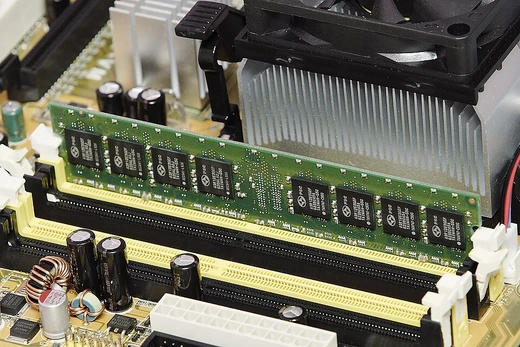
Volatile storage such as DRAM loses every bit the instant power is cut, while non-volatile media like SSDs, HDDs, and flash retain data indefinitely without electricity. This single distinction explains why every computer needs both types working in tandem.
How do you measure and compare storage capacity?
The standard ladder runs from bytes through kilobytes, megabytes, gigabytes, terabytes, and petabytes, with each step multiplying by 1,024 in binary terms or 1,000 in decimal marketing terms. Understanding the gap between the '1 TB' on a product label and the '1 TB' your operating system reports is a rite of passage for every new fan.
What's a notable plot twist in the genre's history?
For decades HDDs were the only practical bulk-storage option, but the 2000s saw NAND flash prices fall enough to make SSDs viable for everyday users. That shift fundamentally reshaped laptop design, smartphone storage, and the entire consumer-tech landscape almost overnight.
What's the current 'season' of the storage story?
We are in an era where QLC SSDs, helium-sealed HDDs, and cloud object storage all compete for the same data. The open questions now center on AI-driven workloads, data-sovereignty regulations, and whether emerging technologies like MRAM or advanced optical media will ever displace the current lineup.