Frequently Asked Questions
The most-asked questions about computer peripherals.
What exactly counts as a computer peripheral?
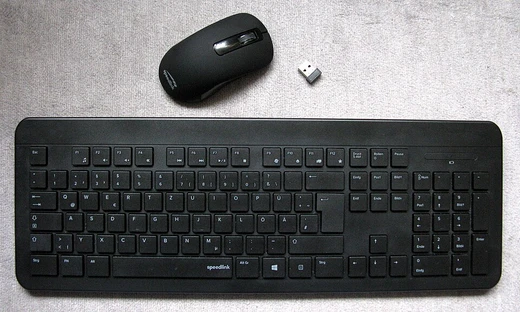
A peripheral is any external device that connects to a computer to extend its capabilities—think keyboards, mice, monitors, printers, webcams, speakers, and external storage. The key distinction is that it sits outside the main chassis and attaches via a physical cable or a wireless protocol rather than being soldered onto the motherboard.
Who are the big names and key figures in the peripheral world?
Logitech, Microsoft, and Apple dominate the consumer market, while Razer, Corsair, and SteelSeries own much of the gaming segment. On the historical side, figures like Douglas Engelbart (who helped popularize the mouse) and companies like HP and Epson shaped the industry's early decades.
What's the difference between input and output peripherals?
Input peripherals send data into the computer—keyboards, mice, microphones, and scanners are classic examples. Output peripherals deliver the computer's results back to you, such as monitors, printers, and speakers. Some devices, like touchscreens or all-in-one printers, blur the line by doing both.
What connection standards should a newcomer know about?
USB (A, C, and the older B) is the most common wired interface, while Bluetooth and 2.4 GHz radio dongles cover most wireless pairings. Older or specialized gear may still use PS/2, serial (RS-232), or proprietary connectors, so checking compatibility before buying saves a lot of frustration.
What are some of the most iconic peripherals in computing history?
The Apple Mouse (1984) put pointing devices in millions of homes, and the IBM Model M keyboard became a cult classic for its tactile buckling-spring keys. More recently, the Logitech MX Master line and the Apple Magic Trackpad redefined expectations for everyday productivity peripherals.
Wired or wireless—what should I actually choose?
Wired connections eliminate latency, battery anxiety, and interference, which matters for competitive gaming and heavy audio work. Wireless has improved dramatically, and modern Bluetooth or 2.4 GHz dongles now deliver near-instant response, making them perfectly fine for most office and casual use.
Where should a beginner start if they want to upgrade their peripheral setup?
Most people see the biggest quality-of-life jump by replacing a basic mouse and keyboard with ergonomic, well-built models suited to their hand size and typing style. After that, a decent monitor with good color accuracy and a pair of closed-back headphones tend to deliver the next noticeable improvement.
What are some lesser-known or niche peripherals worth knowing about?
Trackballs, numpad-only keyboards, and pen displays serve specific workflows that mainstream gear can't match. On the enthusiast side, devices like MIDI controllers, USB oscilloscopes, and external GPU enclosures (eGPUs) show how far the definition of a peripheral can stretch.
What's a notable 'moment' or milestone in peripheral history?
The 1983 introduction of the Apple Lisa was the first mass-market computer to ship with a mouse, fundamentally changing how people interacted with software. In 2001, Apple's release of the iSight webcam normalized built-in video capture and later fueled the entire video-call industry.
Are there any common myths about peripherals that fans should know?
One persistent myth is that a more expensive mouse always means better precision; sensor quality and DPI accuracy matter far more than price tag. Another is the belief that wireless peripherals are inherently less reliable—modern low-latency protocols have largely closed that gap for everyday tasks.